
The Problem Kubernetes Solves
Why containers alone are not enough.
Containers changed how we ship software. But a single container on a single computer is easy. Real products run hundreds of containers, across many machines, and that is where the trouble starts. In this lesson, you will see exactly which problems appear, and why we need something smarter.
- Containers are easy on one machine
- Real apps need hundreds of them
- That is where trouble starts
A quick container recap
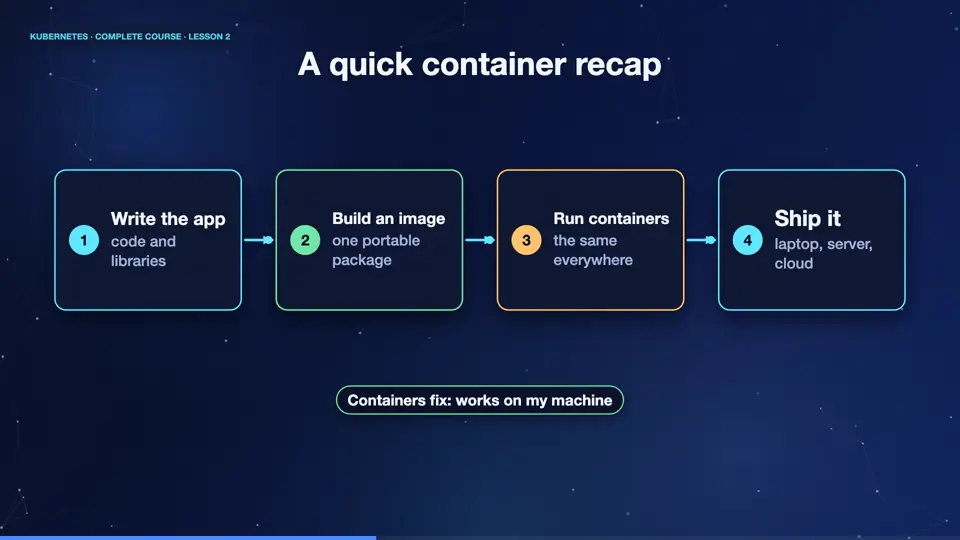
First, a very quick recap. A container packages your app, together with everything it needs, its code, its libraries, and its settings. You build an image once, and you can run it anywhere, the same way, on your laptop, on a test server, or in the cloud. This solved the old problem of, it works on my machine. Containers are small, fast to start, and isolated from each other.
- Write the appcode and libraries
- Build an imageone portable package
- Run containersthe same everywhere
- Ship itlaptop, server, cloud
Life with a hundred containers
Now imagine your company has a hundred containers, on twenty servers. Many questions appear at once. Which server should run each container? What happens when a container crashes at three in the morning? What happens when a whole server dies? How do you update to a new version, without users noticing? How do containers find and talk to each other, when they keep moving? And how do you handle ten times more visitors on a sale day? Doing all this by hand is slow, risky, and exhausting.
Before and after orchestration
The answer is container orchestration. Without it, a person decides where things run, restarts failures by hand, and writes fragile scripts for every update. With it, you describe what you want, for example, run five copies of this app, and a system makes it true, and keeps it true. The person stops being the operator, and becomes the designer. Kubernetes is the most popular orchestrator in the world.
Without orchestration
- A person picks the server
- Crashes wait for a human
- Updates mean scary scripts
- Scaling is manual work
With Kubernetes
- The system picks the server
- Crashes heal automatically
- Updates roll out gently
- Scaling is one command
Where Kubernetes came from
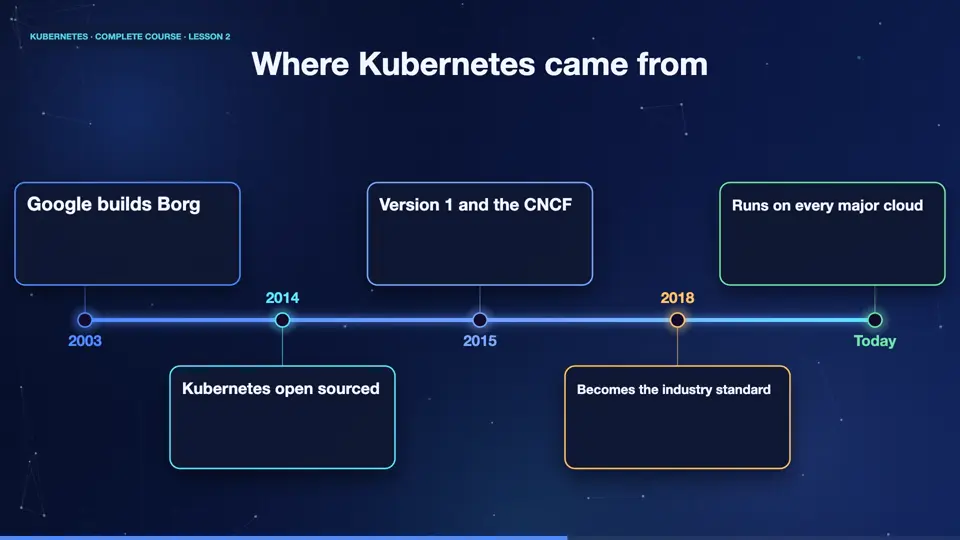
Where did it come from? For over a decade, Google ran billions of containers every week, using an internal system called Borg. In twenty fourteen, Google shared what it had learned, and released Kubernetes as open source. The name is Greek, and means helmsman, the person who steers a ship. In twenty fifteen it joined the Cloud Native Computing Foundation, and today every major cloud offers it. People shorten the name to K eight S, because there are eight letters between the K and the S.
- 2003Google builds Borg
- 2014Kubernetes open sourced
- 2015Version 1 and the CNCF
- 2018Becomes the industry standard
- TodayRuns on every major cloud
Summary
Good. Containers solved packaging. But running many of them, reliably, needs an orchestrator, and Kubernetes grew from Google's own experience. Next, we will see what Kubernetes is, and meet its main parts for the very first time.
Key takeaways- Containers: portable packages
- Scale brings hard questions
- Kubernetes: orchestrates them for you