
A Debugging Method
Get, describe, logs, exec.
Sooner or later, something will break. A pod will not start, or a service will not answer. Experts are not people who never see errors. They are people who know exactly where to look. In this lesson, you will learn a four step method that works for almost every problem.
- Every cluster breaks sometimes
- Experts know where to look
- A four-step method
The four-step method
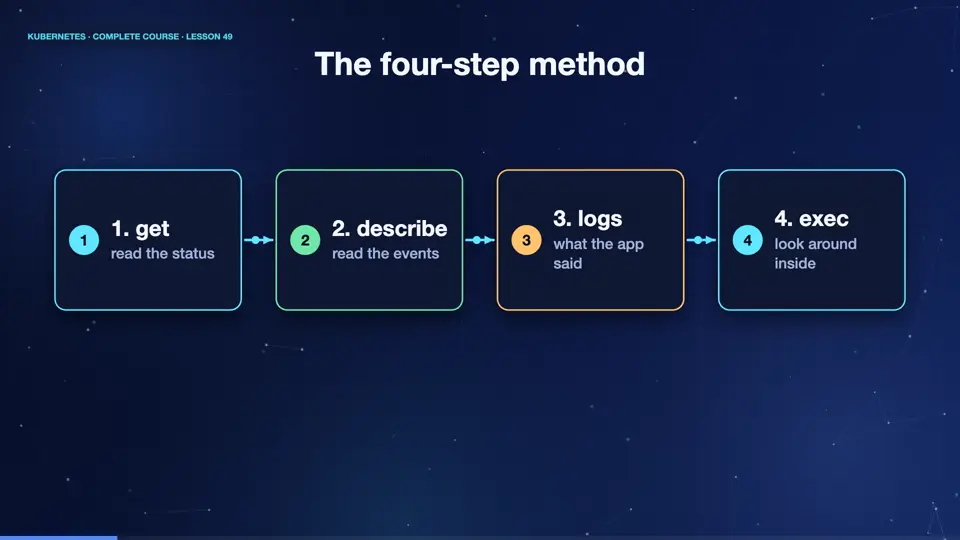
Here is the method. Step one, get. List the objects, and read the status column. It tells you the symptom, pending, crash loop, or not ready. Step two, describe. Read the events at the bottom. They often explain the cause in plain words. Step three, logs. If the container started, read what it said, before it failed. Step four, exec. If it is still running, go inside, and look around. In that order, one step at a time, you will find almost every problem.
- 1. getread the status
- 2. describeread the events
- 3. logswhat the app said
- 4. execlook around inside
A crashing app
Let's practise on a broken app. This pod prints a message, and then exits with an error. Step one, get. The status says crash loop back off, and the restart count rises. Kubernetes keeps restarting it, waiting longer each time. Step two, describe, shows the last state, terminated, with exit code one. Step three, logs, finally reveals the reason, the app cannot reach its database. And the previous flag shows the logs of the container before the latest restart, which is vital when a pod restarts quickly.
kubectl apply -f crash.yaml
pod/crashy created
kubectl get pod crashy
NAME     READY   STATUS             RESTARTS      AGE
crashy   0/1     CrashLoopBackOff   2 (20s ago)   35s
kubectl describe pod crashy | grep -E 'Last State|Reason|Exit Code' | head -4
      Reason:       CrashLoopBackOff
    Last State:     Terminated
      Reason:       Error
      Exit Code:    1
kubectl logs crashy
starting up
ERROR: cannot reach database
kubectl logs crashy --previous
starting up
ERROR: cannot reach database
File used: crash.yaml
apiVersion: v1
kind: Pod
metadata:
  name: crashy
spec:
  containers:
  - name: app
    image: busybox:1.36
command: ["sh", "-c", "echo starting up; echo ERROR: cannot reach database; exit 1"]Other helpful tools
A few more tools are worth knowing. Kube control get events, sorted by time, shows what has happened recently in the namespace. Kube control logs with the dash f flag, follows the output live. For a container that has no shell, kube control debug adds a temporary helper container, with all the tools you need. And kube control port forward lets you test an app directly, bypassing services and ingresses.
Summary
Good. Get, describe, logs, exec. That order finds most problems. Events explain, logs reveal, and previous logs rescue you after a restart. Next, the most common error messages, and what each one means.
Key takeaways- get shows the symptom
- describe shows events
- logs and --previous show the cause