
Pods in Depth
Containers that live together.
You already created a simple pod. But pods can do more. They can hold several containers, that cooperate like teammates. They also have a life, with a beginning, a running phase, and an end. In this lesson, we look deeper into what a pod really is.
- Several containers, one pod
- They share network and storage
- Every pod has a life cycle
Containers sharing a pod
Inside a pod, containers share three things. They run on the same node, always together. They share one network address, so they can talk to each other, simply using localhost. And they can share storage volumes. This allows a useful pattern, the sidecar. The main container runs your app, and a small helper container, beside it, ships logs, or refreshes certificates. Here, one pod holds the web container, and a helper, side by side on the same node.
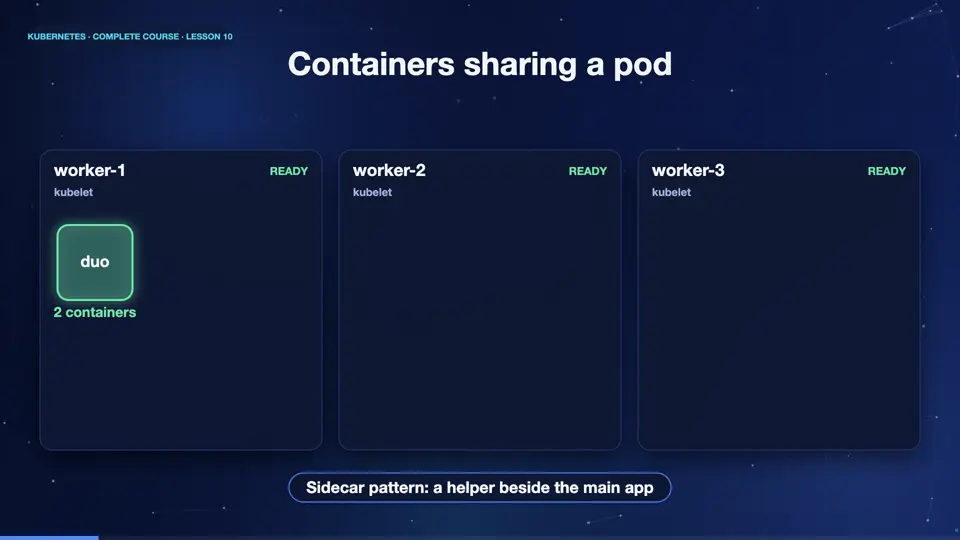
A pod with two containers
Here is that pod written in Y A M L. Under containers, there is a list, and each item starts with a dash. The first container runs the web server. The second is a helper, which uses a small image called busybox, and just sleeps, so we can use it for experiments. Both are inside one pod called duo. We will study every line of this format in the next lesson.
apiVersion: v1
kind: Pod
metadata:
  name: duo
spec:
  containers:
  - name: web
    image: nginx:1.27
  - name: helper
    image: busybox:1.36
    command: ["sleep", "3600"]
Talking over localhost
Let's run it. We apply the file, and the pod starts. Notice the ready column says two of two, one for each container. Now comes the proof. We run a command inside the helper container, that fetches the web page from localhost. And it works, even though the web server is in a different container. They share one network, exactly like two programs on the same computer.
kubectl apply -f duo.yaml
pod/duo created
kubectl get pods
NAME   READY   STATUS    RESTARTS   AGE
duo    2/2     Running   0          14s
kubectl exec duo -c helper -- wget -qO- http://localhost | head -5
<!DOCTYPE html>
<html>
<head>
<title>Welcome to nginx!</title>
<style>
File used: duo.yaml
apiVersion: v1
kind: Pod
metadata:
  name: duo
spec:
  containers:
  - name: web
    image: nginx:1.27
  - name: helper
    image: busybox:1.36
command: ["sleep", "3600"]The life of a pod
Every pod moves through phases. Pending means the pod was accepted, but its containers are not running yet, perhaps waiting for a node, or an image download. Running means at least one container is running. Succeeded means all containers finished successfully, which is normal for a job. Failed means a container ended with an error. And Unknown means the control plane lost contact with the node. Remember, pods are mortal. They are created, they run, and they end, and they are never repaired, only replaced.
| Phase | Meaning |
|---|---|
| Pending | accepted, not running yet |
| Running | at least one container is up |
| Succeeded | all containers finished OK |
| Failed | a container ended in error |
| Unknown | node cannot be reached |
Summary
Good. A pod can hold several cooperating containers, which share the node, the network, and storage. Pods move through phases, and they are replaced, never repaired. Next, we learn to describe pods, and everything else, using Y A M L files.
Key takeaways- Containers in a pod share network
- Sidecars are helper containers
- Pods are replaced, never repaired