
Inside a Worker Node
Where your apps actually run.
The control plane decides, but a worker node does the real work. Every worker runs three important pieces of software. Together they start your containers, keep them healthy, and connect them to the network. In this lesson, we look inside one worker node.
- Workers run your containers
- Three components on every node
- They report back to the control plane
The software on a worker node
Here is a worker node, from the bottom up. At the bottom is the machine itself, with an operating system. On top of it runs a container runtime, such as container D, the program that actually pulls images and starts containers. Next is the kubelet, the node's agent. It talks to the A P I server, and makes sure the containers it was told to run are really running. And beside them runs kube proxy, which manages the network rules, so traffic can reach your pods. Finally, at the top, are your pods.
- Machine + OSthe physical or virtual server
- Container runtimecontainerd starts containers
- kubelet + kube-proxyagent and networking
- Your podsthe containers you deploy
The kubelet at work
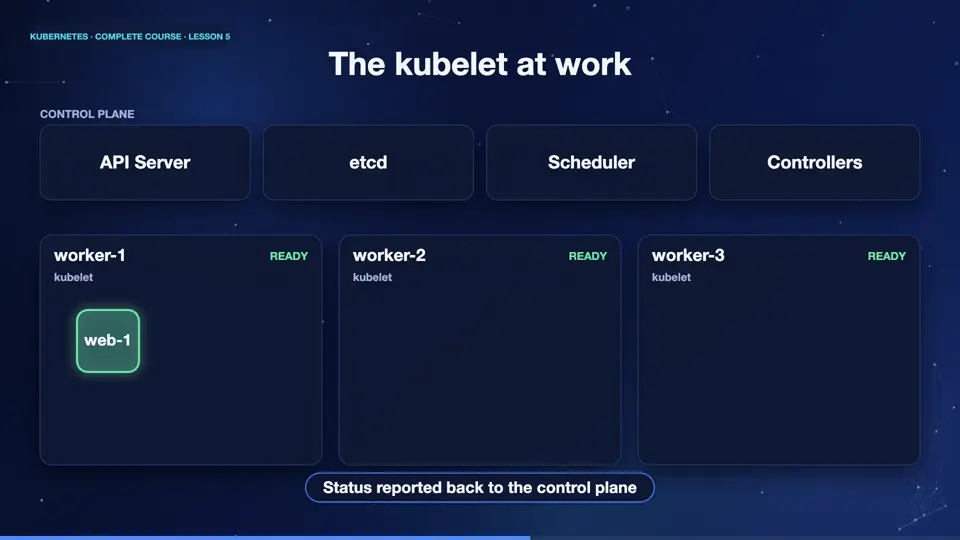
Let's watch the kubelet. It keeps asking the A P I server one question, which pods are assigned to my node? When the scheduler assigns a new pod, the kubelet notices. It tells the container runtime to pull the image and start the containers. Then it keeps checking their health, and reports the status back to the control plane. If a container crashes, the kubelet restarts it. The kubelet is the hands of Kubernetes.
A node, up close
Let's look at a real worker node. This command describes the node called k eight s m zero two. It shows how much processor and memory the node offers, which the scheduler uses for its decisions, and below, it lists the pods currently running on it. The description also shows conditions, such as memory pressure and disk pressure, which tell Kubernetes whether the node is healthy.
kubectl describe node k8s-m02 | grep -A7 '^Capacity'
Capacity:
  cpu:                8
  ephemeral-storage:  107071196Ki
  hugepages-1Gi:      0
  hugepages-2Mi:      0
  hugepages-32Mi:     0
  hugepages-64Ki:     0
  memory:             11205964Ki
kubectl describe node k8s-m02 | grep -E '^  (Memory|Disk|PID)Pressure' | cut -c1-70
  MemoryPressure   False   Fri, 30 Oct 2026 22:31:25 +0300   Fri, 30 O
  DiskPressure     False   Fri, 30 Oct 2026 22:31:25 +0300   Fri, 30 O
  PIDPressure      False   Fri, 30 Oct 2026 22:31:25 +0300   Fri, 30 O
Summary
Excellent. A worker node has a container runtime, to start containers, a kubelet, to manage them, and kube proxy, to handle networking. They report to the control plane, and obey it. Next, the most important idea in Kubernetes, the declarative model.
Key takeaways- Runtime starts containers
- Kubelet is the node's agent
- Kube-proxy manages networking