
Running Models Locally
Quantization and small models.
You do not always need a cloud service. Open models can run on your own laptop, with full privacy, and no usage fees. The key is a technique, called quantization, that makes models smaller. In this lesson, you will learn how it works, and how to start.
- Run a model on your own machine
- Private and free to use
- The trick: quantization
Why size matters
A model's size depends on its number of weights, and how precisely each is stored. A seven billion weight model, stored with sixteen bit numbers, needs about fourteen gigabytes of memory. Stored with four bit numbers, it needs only about four gigabytes. That is the difference between needing a big graphics card, and running on a normal laptop.
What quantization means
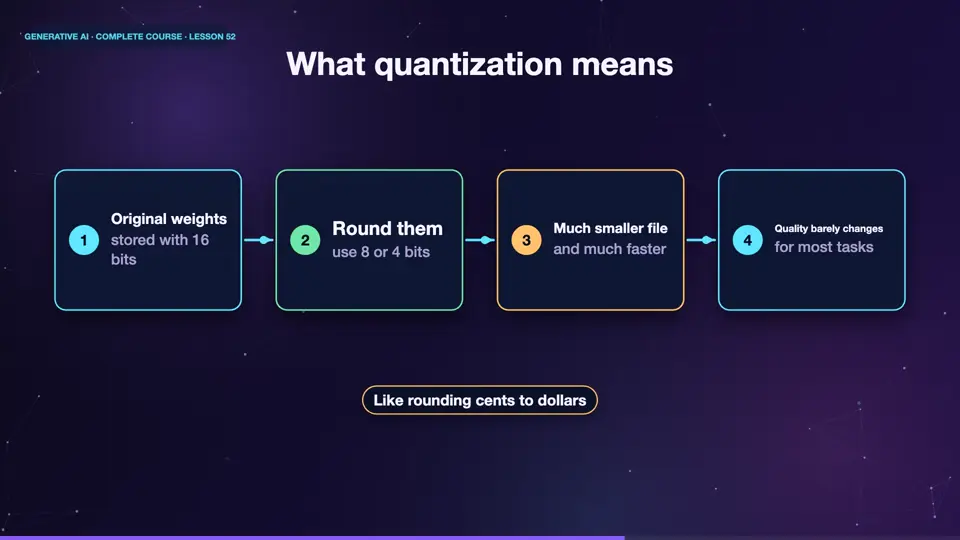
Quantization means storing each weight, with fewer bits, so with less precision. It is like rounding prices to the nearest dollar, instead of the nearest cent. You save a lot of space, and the answers stay nearly the same, because the network is robust to tiny changes. Four bit versions often keep most of the quality of the original, which is why they are so popular.
- Original weightsstored with 16 bits
- Round themuse 8 or 4 bits
- Much smaller fileand much faster
- Quality barely changesfor most tasks
How to start locally
Getting started is easy. Free tools such as Ollama, and L M Studio, let you download a model, and chat with it, in minutes. Choose a small model, of around three to eight billion weights, in four bit form. Your data never leaves your computer. It works without internet, and costs nothing per question. Expect lower quality than the largest cloud models, but plenty for many tasks.
Summary
Good. Quantization stores weights with fewer bits, so a model shrinks from gigabytes, to a few, with little loss of quality. Tools like Ollama make local models easy. You gain privacy and control, and trade a little capability. Next, we learn how to measure and watch an A I system, once it is live.
Key takeaways- Quantization = fewer bits per weight
- 4-bit models fit on a laptop
- Local = private, offline, no fees