
Stateless Servers
Any server can answer.
Here's a problem. A user logs in on server one. Their next request goes to server two, which has never heard of them. They're logged out. The fix is to make servers stateless.
- Logged in on server 1
- Next request hits server 2
- Suddenly logged out
Stateful vs stateless
A stateful server keeps user data in its own memory, like who's logged in, and what's in their cart. So that user must always come back to the same server. A stateless server keeps nothing between requests. Everything it needs comes with the request, or from a shared store. So any server can answer any request.
Stateful
- User data in its memoryUser stuck to one serverLost if it crashes
Stateless
- Keeps nothingAny server can answerAdd or remove freely
Moving state out
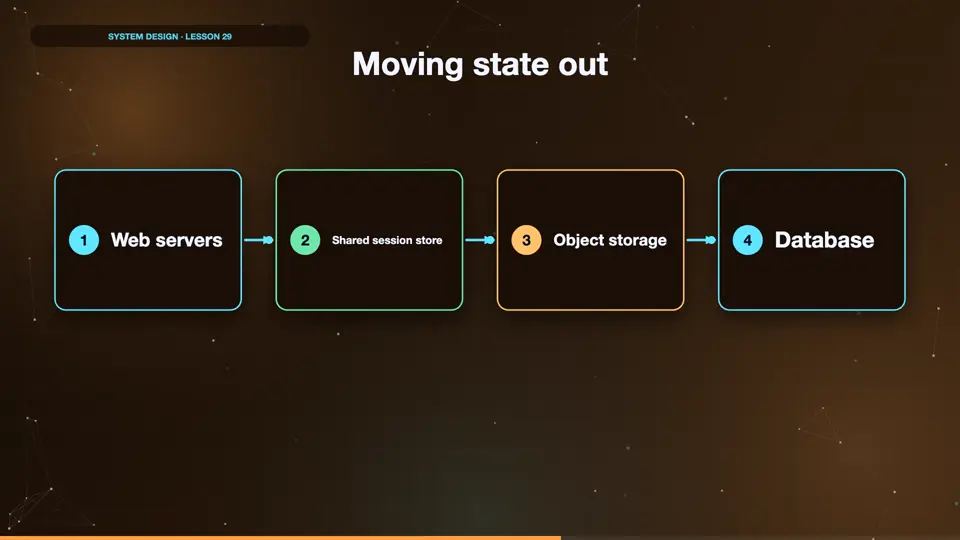
To make Shoply's servers stateless, we move the state out. Sessions and carts go into a shared store, like Redis. Uploaded files go into object storage. Permanent data stays in the database. The web servers are now identical and replaceable.
- Web servers
- Shared session store
- Object storage
- Database
Summary
Stateless servers keep no user data in memory, so any server can handle any request. That's what makes horizontal scaling easy. Next, where sessions should live.
Key takeaways- Move state out
- Shared stores
- Servers become identical