
Autocomplete at Scale
Fast suggestions.
Millions of people type into the search box, every letter a request. And what people search for changes every day. How do we keep it fast, and up to date?

- Millions typing
- Every letter a request
- Trends change daily
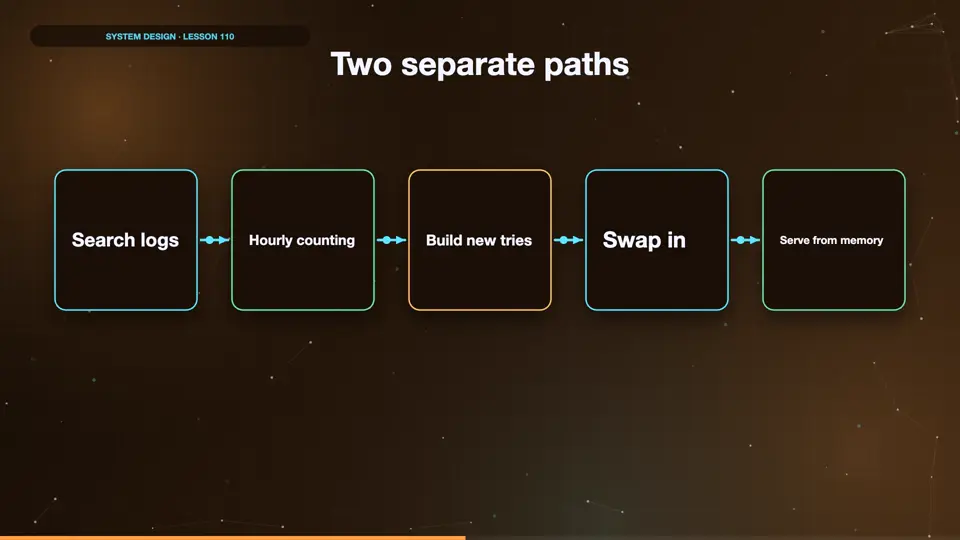
Two separate paths
The design splits into two paths. The query path serves suggestions, from tries held in memory and cached at the edge. The data path collects every finished search into logs. A batch job counts them, every hour or day, builds fresh tries, and swaps them in. Readers never wait for updates.
- Search logs
- Hourly counting
- Build new tries
- Swap in
- Serve from memory
Speed tricks
A few more tricks keep it fast. The browser caches recent suggestions, so backspacing is free. The app waits a few milliseconds after each keystroke, so fast typists send fewer requests. Short prefixes, like one or two letters, are cached heavily, because everyone types them. And the tries are sharded by first letters.
Summary
Autocomplete at scale serves suggestions from in memory tries, and rebuilds them from search logs in the background. Next, designing a key value store yourself.
Key takeaways- Serve from memory
- Rebuild from logs
- Cache and debounce