
Event-Driven Design
React to what happened.
So far, the checkout service tells other services what to do. Send an email. Update stock. In an event driven design, it simply announces what happened, order placed, and other services decide how to react.
- Commands: do this
- Events: this happened
- Others decide what to do
Commands vs events
With commands, the checkout service must know about every other service, and call each one. Adding a new feature means changing checkout. With events, checkout just publishes order placed. A new loyalty service can subscribe tomorrow, without anyone touching checkout.
Commands
- Sender knows everyoneNew feature: change senderTightly coupled
Events
- Sender just announcesNew feature: subscribeLoosely coupled
An order, event by event
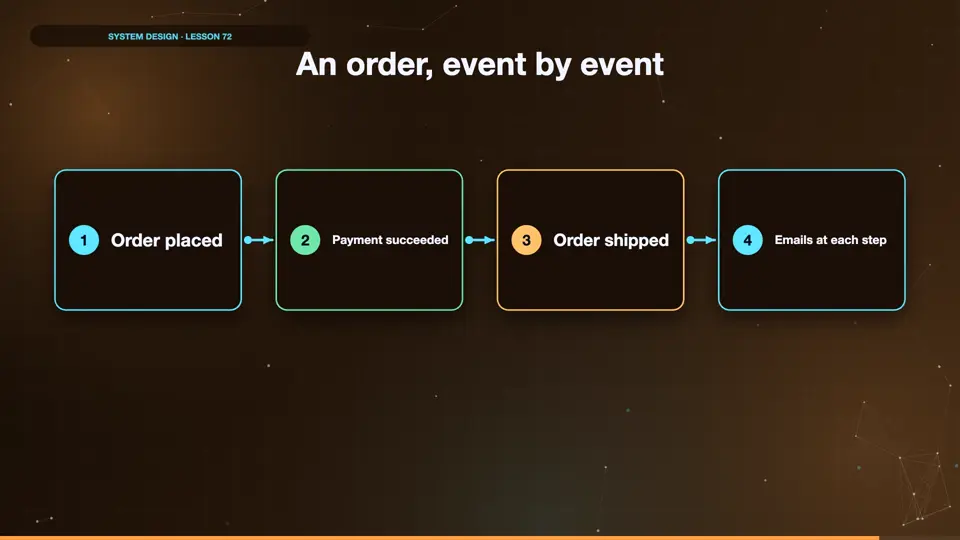
Here's an order in an event driven Shoply. Checkout publishes order placed. Payments reacts, charges the card, and publishes payment succeeded. The warehouse reacts to that, packs the box, and publishes order shipped. And the email service reacts to each event, keeping the customer informed.
- Order placed
- Payment succeeded
- Order shipped
- Emails at each step
Summary
Event driven designs announce what happened, and let other services react. They're flexible and loosely coupled, but harder to follow. Next, doing work now or later. Batch versus stream.
Key takeaways- Announce events
- Others react
- Loosely coupled