
GitHub Flow
A simple team workflow.
When a whole team shares one repository, everyone needs to follow the same simple rules. The most popular set of rules is called GitHub flow. It has just one big idea. Main is always working, and every change goes through a branch and a pull request.
- One shared repository
- Everyone follows the same rules
- Main always works
GitHub flow
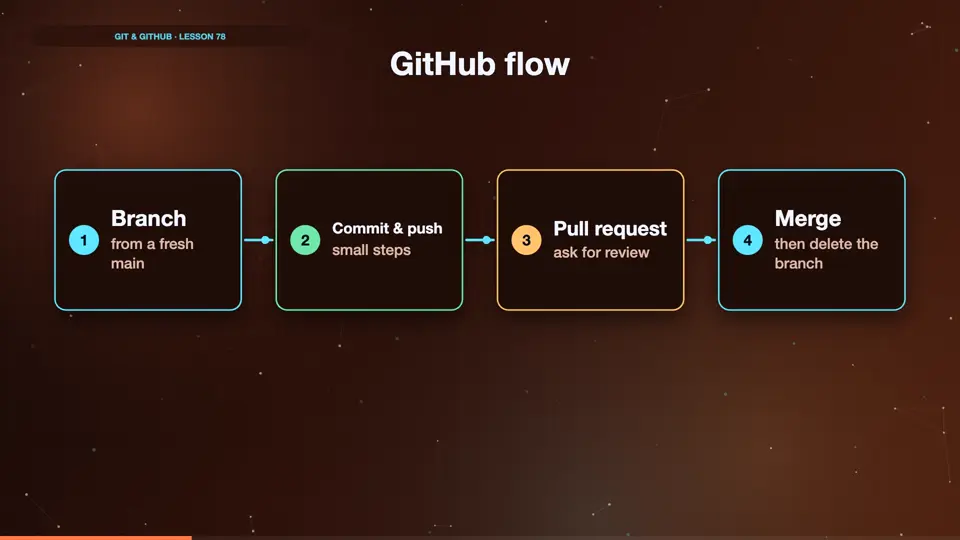
Here are the steps. Update main, and create a branch with a clear name. Commit your work in small steps, and push the branch. Open a pull request, and ask for review. Fix anything reviewers ask for. Then merge, delete the branch, and start again from main.
- Branchfrom a fresh main
- Commit & pushsmall steps
- Pull requestask for review
- Mergethen delete the branch
A day in GitHub flow
Here's how a day starts. Switch to main, and pull, so we start from the latest version. Then create a branch named after the task. The rest is the add, commit and push you already know.
git switch main
Already on 'main'
Your branch is up to date with 'origin/main'.
git pull
Already up to date.
git switch -c fix-footer-color
Switched to a new branch 'fix-footer-color'
Summary
GitHub flow means main always works, and every change goes through a branch and a pull request. Next, how GitHub can enforce those rules.
Key takeaways- Main always works
- Branch, PR, review, merge
- Delete, and repeat