
Collaborators and Access
Who can push.
By default, only you can push to your repository. To work with a teammate directly, you invite them as a collaborator. For bigger groups, GitHub has organisations, with teams and roles.
- Only you can push, at first
- Invite collaborators
- Organisations for bigger groups
Inviting a collaborator
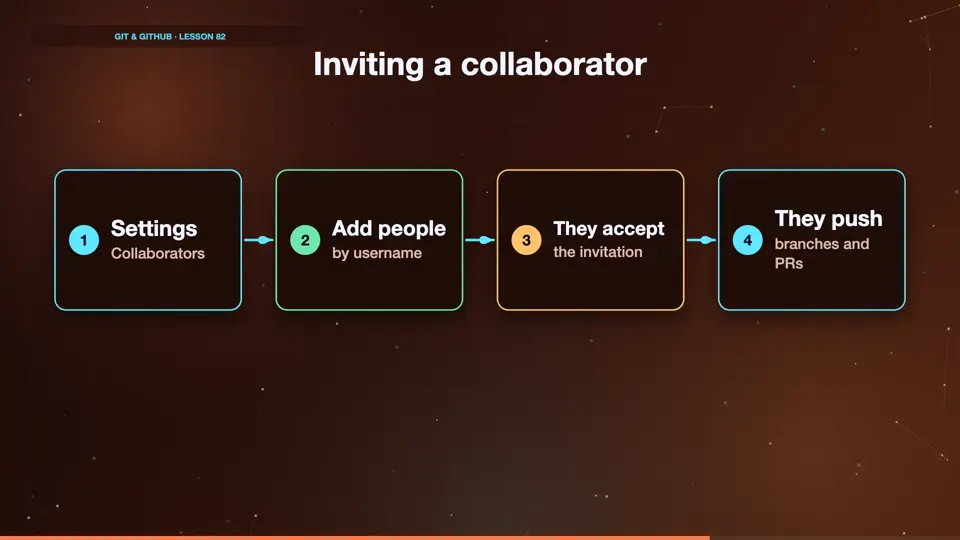
Open settings, then collaborators. Click add people, and search for your teammate's GitHub username. They get an email invitation. Once they accept, they can push branches to your repository, and open pull requests from them.
- SettingsCollaborators
- Add peopleby username
- They acceptthe invitation
- They pushbranches and PRs
Collaborator or fork?
So when do people use forks, and when collaborators? Collaborators are trusted teammates, who push branches to the same repository. Forks are for everyone else, like open source contributors. They can't push to your repository, so they work in their own copy, and send pull requests.
Collaborator
- Trusted teammate
- Pushes to your repo
- Branches + PRs
Fork
- Anyone
- Works in their copy
- PRs from the fork
Summary
Invite trusted teammates as collaborators. Everyone else contributes through forks. Next, a handy tool for when you're interrupted mid-task.
Key takeaways- Settings, Collaborators
- Teammates push branches
- Others use forks