
Response Models & Status Codes
Orders are coming in, and customers are signing up for accounts. Then Maya spots a problem. When someone signs up, the API could send back everything it received, including their password. And menu items carry Maya's own ingredient costs, which customers should never see. Some data must never leave the server. Let's fix that, with response models.
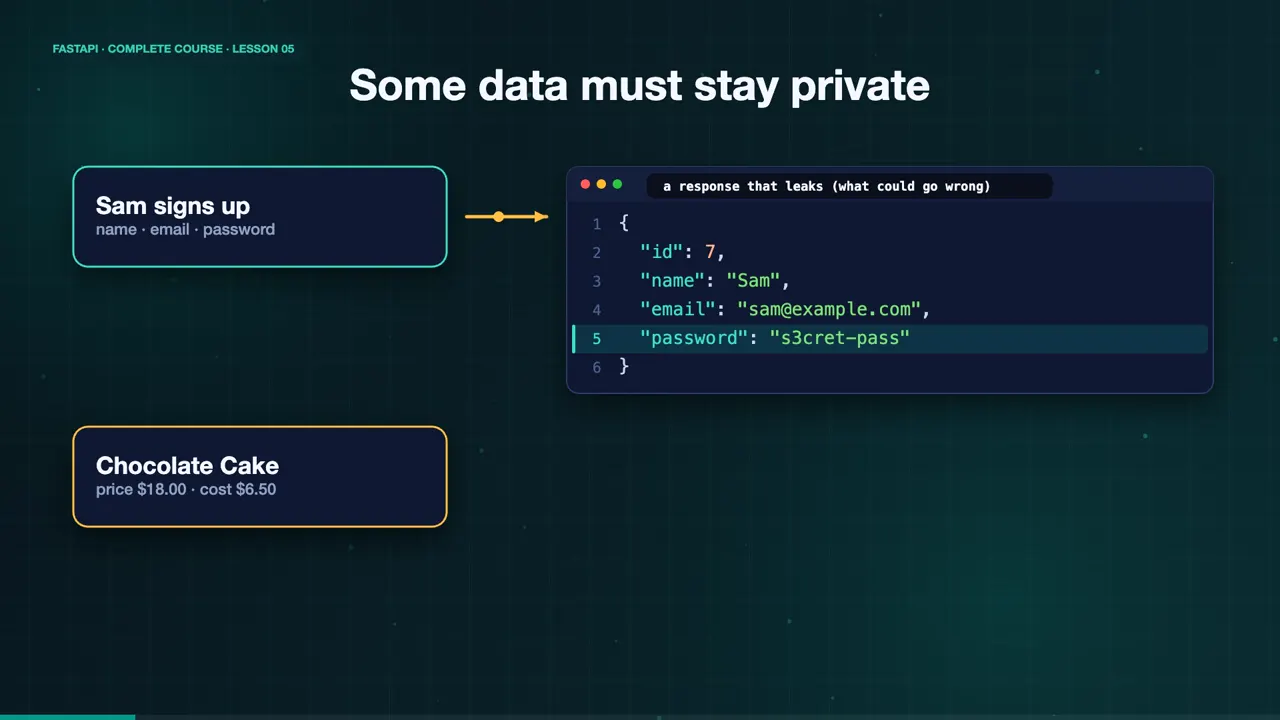
{
  "id": 7,
  "name": "Sam",
  "email": "sam@example.com",
  "password": "s3cret-pass"
}One model in, another out
Use two models. One for the input, and one for the output. Customer in has a name, an email, and a password. Customer out has an ID, a name, and an email, and no password at all.
class CustomerIn(BaseModel):
    name: str
    email: str
    password: str = Field(min_length=8)

class CustomerOut(BaseModel):
    id: int
    name: str
    email: str
response_model filters the output
Now add response model to the decorator. Our function can return a dictionary with the password still inside. FastAPI filters the result through the output model, so only the declared fields leave the server. It also validates the output, and documents it in the docs.
@app.post("/customers/", response_model=CustomerOut, status_code=status.HTTP_201_CREATED)
def create_customer(customer: CustomerIn):
    saved = {"id": 7, **customer.model_dump()}
return savedSign up Sam
Let's sign up Sam. We send a name, an email, and a password. The response contains the new ID, the name, and the email. The password is gone. The same trick hides the cost of a menu item. Customers see the price, and Maya keeps her costs private.
curl -s -X POST localhost:8000/customers/ -H 'Content-Type: application/json' -d '{"name":"Sam","email":"sam@example.com","password":"s3cret-pass"}'
{"id":7,"name":"Sam","email":"sam@example.com"}
curl -s localhost:8000/menu/1
{"id":1,"name":"Chocolate Cake","price":18.0}
Status codes tell the app what happened
Status codes tell the app what happened. Two hundred means OK. Two hundred and one means something was created. Four hundred and four means not found, and four twenty two means invalid data. Set the code in the decorator. For creating a customer, we use two hundred and one, with the constants from the status module, so the code reads like plain English.
@app.post("/customers/", status_code=status.HTTP_201_CREATED)Look at the raw response
Look at the raw response, with curl dash i. The first line says two hundred and one Created, and the body has no password. The input rules still apply. A password shorter than eight characters is rejected, with a four twenty two.
curl -si -X POST localhost:8000/customers/ -H 'Content-Type: application/json' -d '{"name":"Sam","email":"sam@example.com","password":"s3cret-pass"}'
HTTP/1.1 201 Created
date: Fri, 30 Oct 2026 01:35:14 GMT
server: uvicorn
content-length: 47
content-type: application/json

{"id":7,"name":"Sam","email":"sam@example.com"}
curl -s -X POST localhost:8000/customers/ -H 'Content-Type: application/json' -d '{"name":"Sam","email":"s@e.com","password":"123"}'
{"detail":[{"type":"string_too_short","loc":["body","password"],"msg":"String should have at least 8 characters","input":"123","ctx":{"min_length":8}}]}
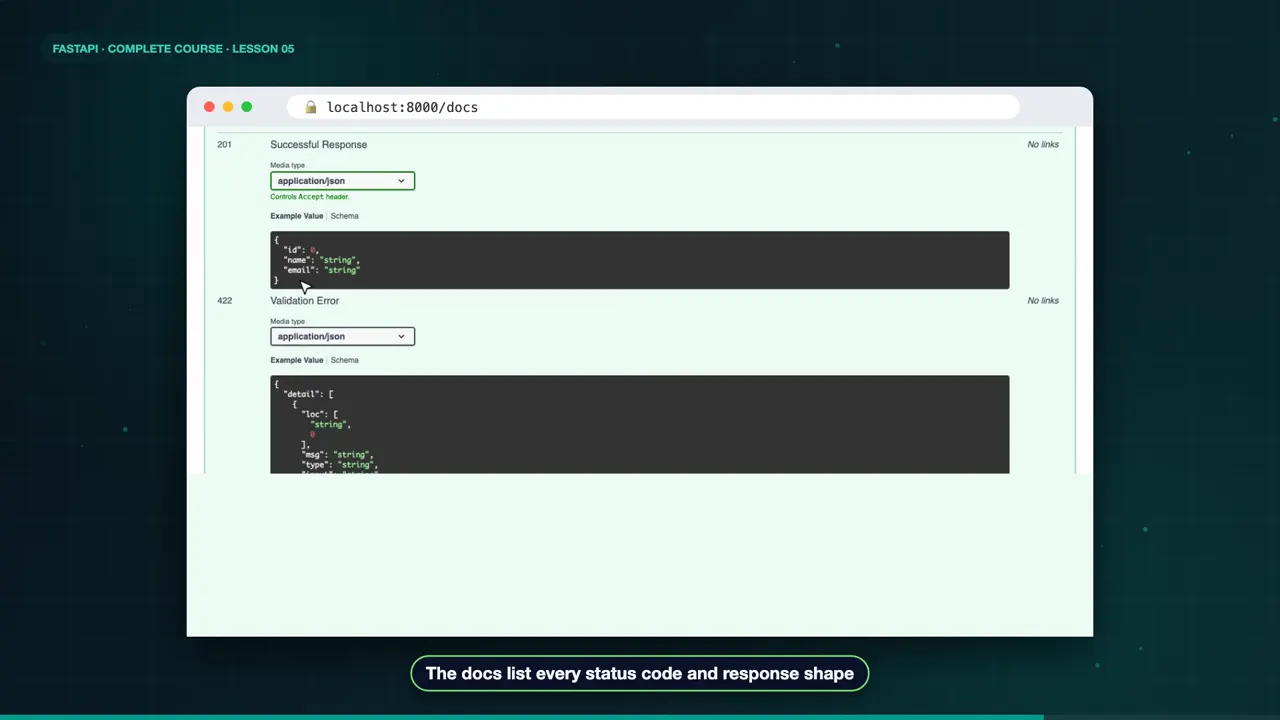
The docs show it too. The response section lists the status code, and the exact shape of the output model. The app developers on Maya's team can see what to expect, before writing a single line.
The complete code for this lesson
Here is the full main.py exactly as it runs at the end of this lesson. Save it, install FastAPI with pip install "fastapi[standard]", and start it with fastapi dev main.py, then open http://127.0.0.1:8000/docs.
from fastapi import FastAPI, status
from pydantic import BaseModel, Field

app = FastAPI(title="Sweet Crumbs API")


class CustomerIn(BaseModel):
    name: str
    email: str
    password: str = Field(min_length=8)


class CustomerOut(BaseModel):
    id: int
    name: str
    email: str


@app.post("/customers/", response_model=CustomerOut, status_code=status.HTTP_201_CREATED)
def create_customer(customer: CustomerIn):
    saved = {"id": 7, **customer.model_dump()}
    return saved


class MenuItem(BaseModel):
    id: int
    name: str
    price: float
    cost: float


class MenuItemPublic(BaseModel):
    id: int
    name: str
    price: float


ITEMS = {1: MenuItem(id=1, name="Chocolate Cake", price=18.0, cost=6.5)}


@app.get("/menu/{item_id}", response_model=MenuItemPublic)
def read_item(item_id: int):
    return ITEMS[item_id]
Summary
So use one model for input, and another for output. Set the right status code. Now Maya's data stays private. But what happens when a customer asks for something that does not exist? In the next lesson, we build a full create, read, update, and delete API. See you there.
Key takeaways- One model for input, another for output
- response_model hides private fields
- Set the right status code