
A Complete CRUD API
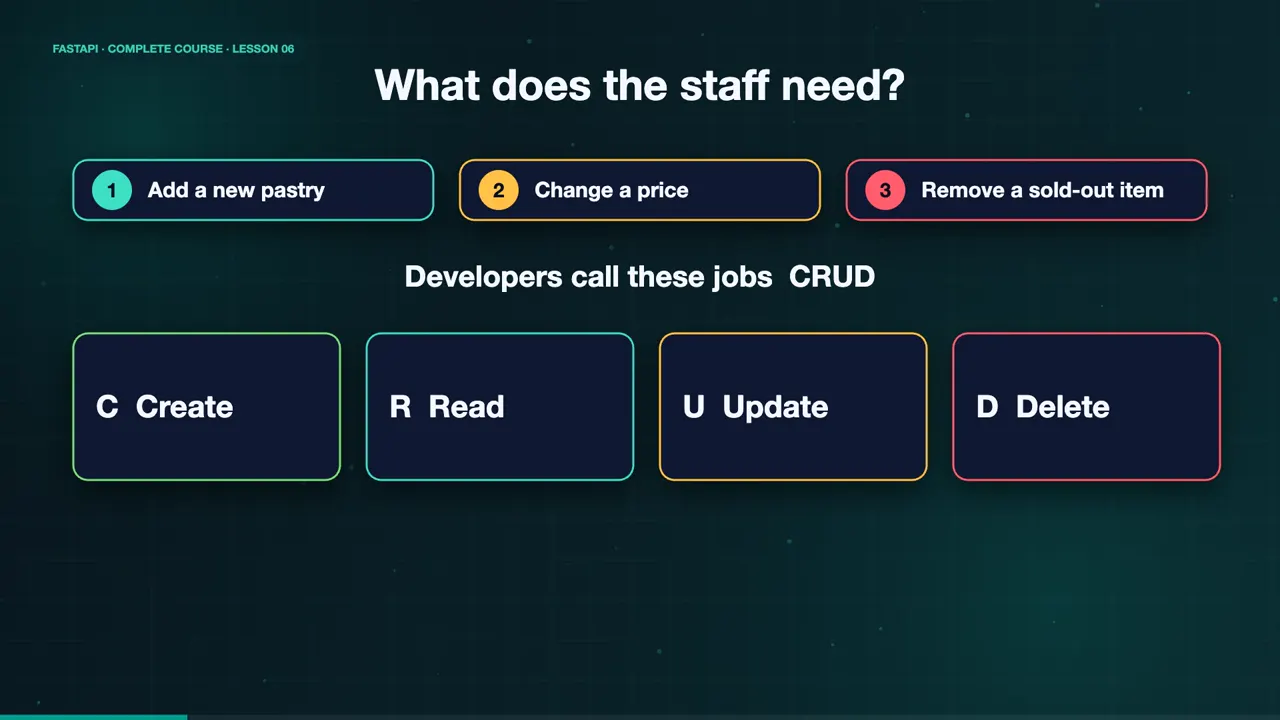
Sweet Crumbs keeps growing, and Maya's staff needs to manage the menu themselves. Add a new pastry. Change a price. Remove something that sold out. Developers call these four jobs CRUD. Create, Read, Update, and Delete. And each one has its own HTTP method. POST, GET, PUT or PATCH, and DELETE.
A model and a place to store it
We start with a model for a menu item, and a plain dictionary acting as our storage for now. A real database comes in a later lesson. The dictionary holds two items to begin with.
class MenuItem(BaseModel):
    name: str
    price: float
    available: bool = True

menu: dict[int, MenuItem] = {
    1: MenuItem(name="Chocolate Cake", price=18.0),
    2: MenuItem(name="Sourdough Loaf", price=7.0),
}
Read, and say “not found”
Reading is simple. Slash menu returns every item. For a single item, we look it up by ID. And if it does not exist, we raise an HTTP exception, with status code four hundred and four, and a helpful message. FastAPI turns that into a proper JSON error.
@app.get("/menu/")
def list_items():
    return menu

@app.get("/menu/{item_id}")
def read_item(item_id: int):
    if item_id not in menu:
        raise HTTPException(status_code=404,
                            detail="Menu item not found")
return menu[item_id]Create and read
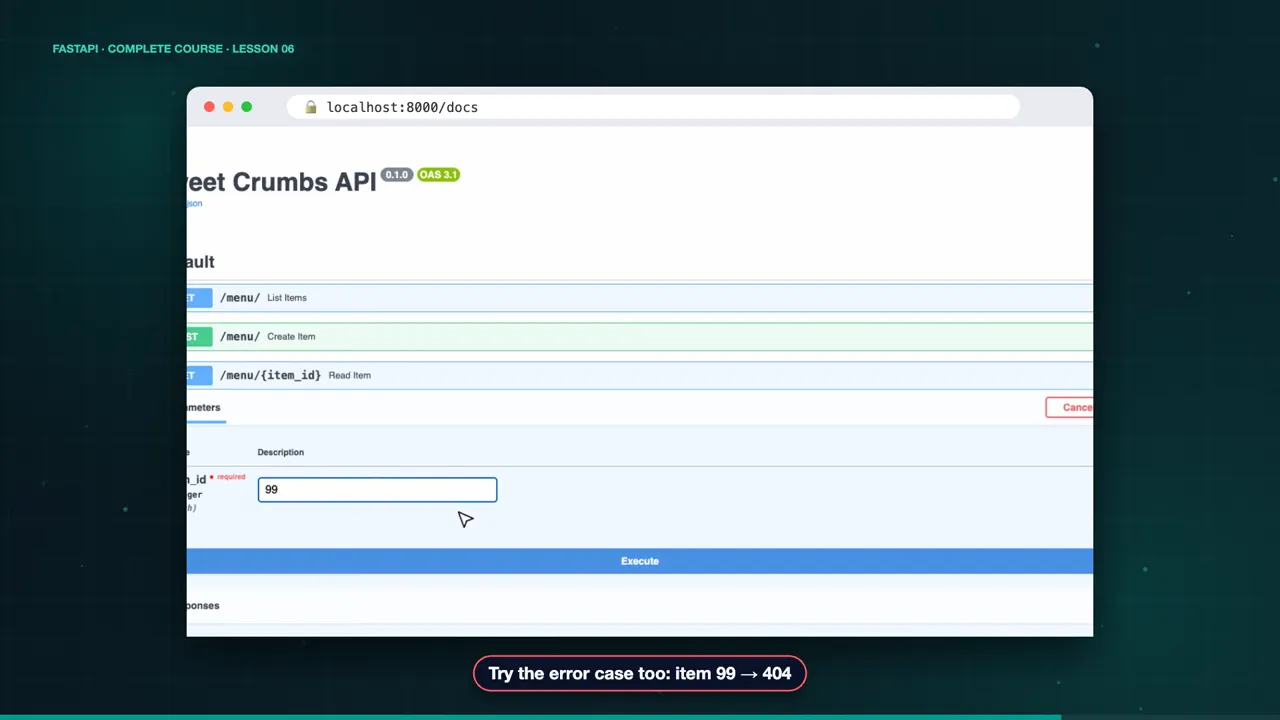
Let's try it. Create a croissant with POST. We get a two hundred and one, and the new ID is three. List the menu, and there it is. Ask for item ninety nine, and we get a four hundred and four, with our own message.
curl -s -X POST localhost:8000/menu/ -H 'Content-Type: application/json' -d '{"name":"Croissant","price":4.0}'
{"id":3,"name":"Croissant","price":4.0,"available":true}
curl -s localhost:8000/menu/
{"1":{"name":"Chocolate Cake","price":18.0,"available":true},"2":{"name":"Sourdough Loaf","price":7.0,"available":true},"3":{"name":"Croissant","price":4.0,"available":true}}
curl -s localhost:8000/menu/99
{"detail":"Menu item not found"}
Update: PUT or PATCH
To update, there are two choices. PUT replaces the whole item, so the client sends every field. PATCH changes only some fields. We model that with an update model, where every field is optional. Then model dump, with exclude unset, gives us only the fields the client actually sent.
@app.put("/menu/{item_id}")
def replace_item(item_id: int, item: MenuItem): ...

class MenuItemUpdate(BaseModel):
    name: str | None = None
    price: float | None = None
    available: bool | None = None

menu[item_id] = menu[item_id].model_copy(update=changes.model_dump(exclude_unset=True))
Patch, delete, gone
Patch the croissant price to four fifty, and only the price changes. Delete it, and we get a two hundred and four, which means success, with no content. Ask for it again, and it is gone. Four hundred and four.
curl -s -X PATCH localhost:8000/menu/3 -H 'Content-Type: application/json' -d '{"price":4.5}'
{"name":"Croissant","price":4.5,"available":true}
curl -s -o /dev/null -w "%{http_code}" -X DELETE localhost:8000/menu/3
204
curl -s localhost:8000/menu/3
{"detail":"Menu item not found"}
The docs list all five endpoints, colour coded by method. You can try every one, including the error cases, right in the browser.
The complete code for this lesson
Here is the full main.py exactly as it runs at the end of this lesson. Save it, install FastAPI with pip install "fastapi[standard]", and start it with fastapi dev main.py, then open http://127.0.0.1:8000/docs.
from fastapi import FastAPI, HTTPException, status
from pydantic import BaseModel

app = FastAPI(title="Sweet Crumbs API")


class MenuItem(BaseModel):
    name: str
    price: float
    available: bool = True


class MenuItemUpdate(BaseModel):
    name: str | None = None
    price: float | None = None
    available: bool | None = None


menu: dict[int, MenuItem] = {
    1: MenuItem(name="Chocolate Cake", price=18.0),
    2: MenuItem(name="Sourdough Loaf", price=7.0),
}
next_id = 3


@app.get("/menu/")
def list_items():
    return menu


@app.get("/menu/{item_id}")
def read_item(item_id: int):
    if item_id not in menu:
        raise HTTPException(status_code=404, detail="Menu item not found")
    return menu[item_id]


@app.post("/menu/", status_code=status.HTTP_201_CREATED)
def create_item(item: MenuItem):
    global next_id
    menu[next_id] = item
    next_id += 1
    return {"id": next_id - 1, **item.model_dump()}


@app.put("/menu/{item_id}")
def replace_item(item_id: int, item: MenuItem):
    if item_id not in menu:
        raise HTTPException(status_code=404, detail="Menu item not found")
    menu[item_id] = item
    return item


@app.patch("/menu/{item_id}")
def update_item(item_id: int, changes: MenuItemUpdate):
    if item_id not in menu:
        raise HTTPException(status_code=404, detail="Menu item not found")
    menu[item_id] = menu[item_id].model_copy(update=changes.model_dump(exclude_unset=True))
    return menu[item_id]


@app.delete("/menu/{item_id}", status_code=status.HTTP_204_NO_CONTENT)
def delete_item(item_id: int):
    if item_id not in menu:
        raise HTTPException(status_code=404, detail="Menu item not found")
    del menu[item_id]
Summary
That is a full CRUD API. Pair the right method with each job, raise an HTTP exception for missing things, and use status codes that tell the truth. Maya's staff can now manage the menu. But we keep repeating the same checks. In the next lesson, dependencies, and how to stop repeating yourself. See you there.
Key takeaways- Match the HTTP method to the job
- HTTPException for missing things
- Status codes that tell the truth