
Path Parameters
Maya's app is live, and customers are placing orders. Now a new question keeps coming up. Where is my order? Every order has a number, so the app needs to ask the API for order one thousand and one, or one thousand and two, without Maya writing a separate endpoint for each. That is exactly what path parameters are for.
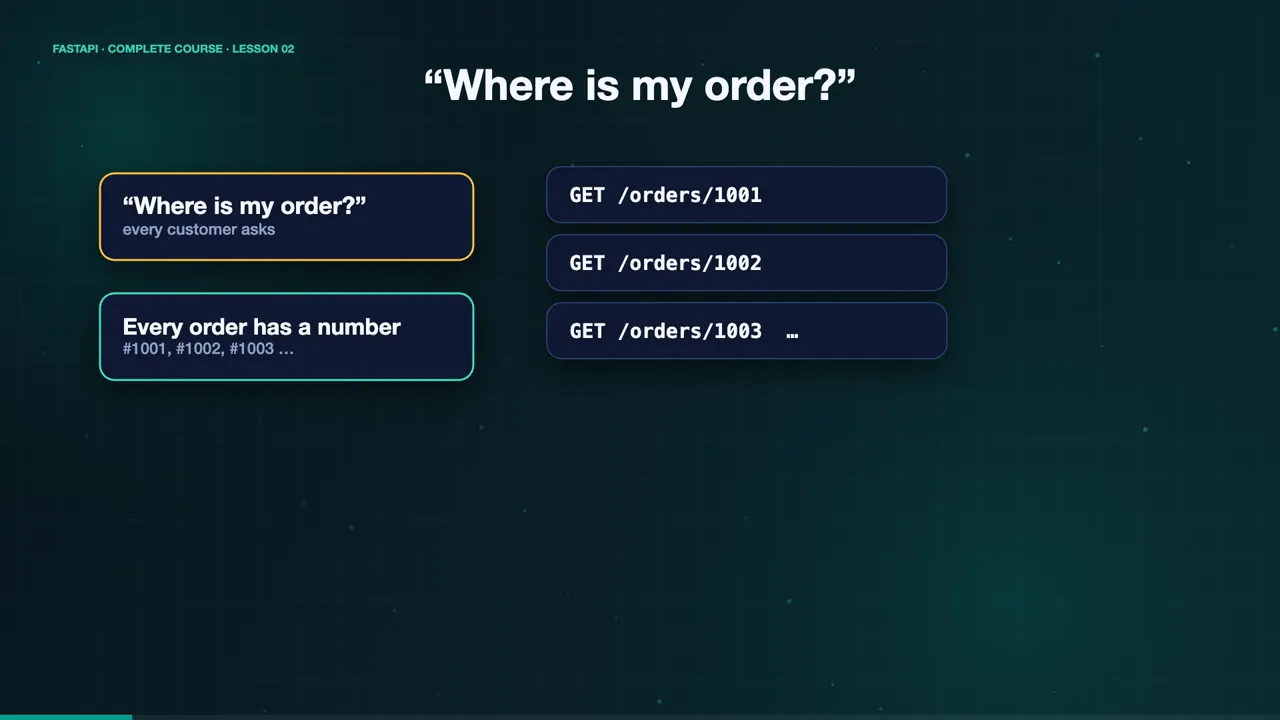
How path parameters work
A path parameter is a variable part of the URL. You declare it with curly braces, and add a function parameter with the same name. Here, order_id is in the path, and the type hint says it must be an integer. FastAPI reads the value from the URL, converts it to an int, and hands it to your function.
@app.get("/orders/{order_id}")
def read_order(order_id: int):
    return {"order_id": order_id}
Try it with curl
Let's try it. A request to slash orders slash one thousand and one returns that order, and the ID is a real number, not a string. Now what if a bug sends a b c instead? FastAPI does not crash. It returns a four twenty two error, with a clear message. The input should be a valid integer. You wrote no validation code at all.
curl localhost:8000/orders/1001
{"order_id":1001,"item":"Chocolate Cake","status":"baking"}
curl localhost:8000/orders/abc
{"detail":[{"type":"int_parsing","loc":["path","order_id"],"msg":"Input should be a valid integer, unable to parse string as an integer","input":"abc"}]}
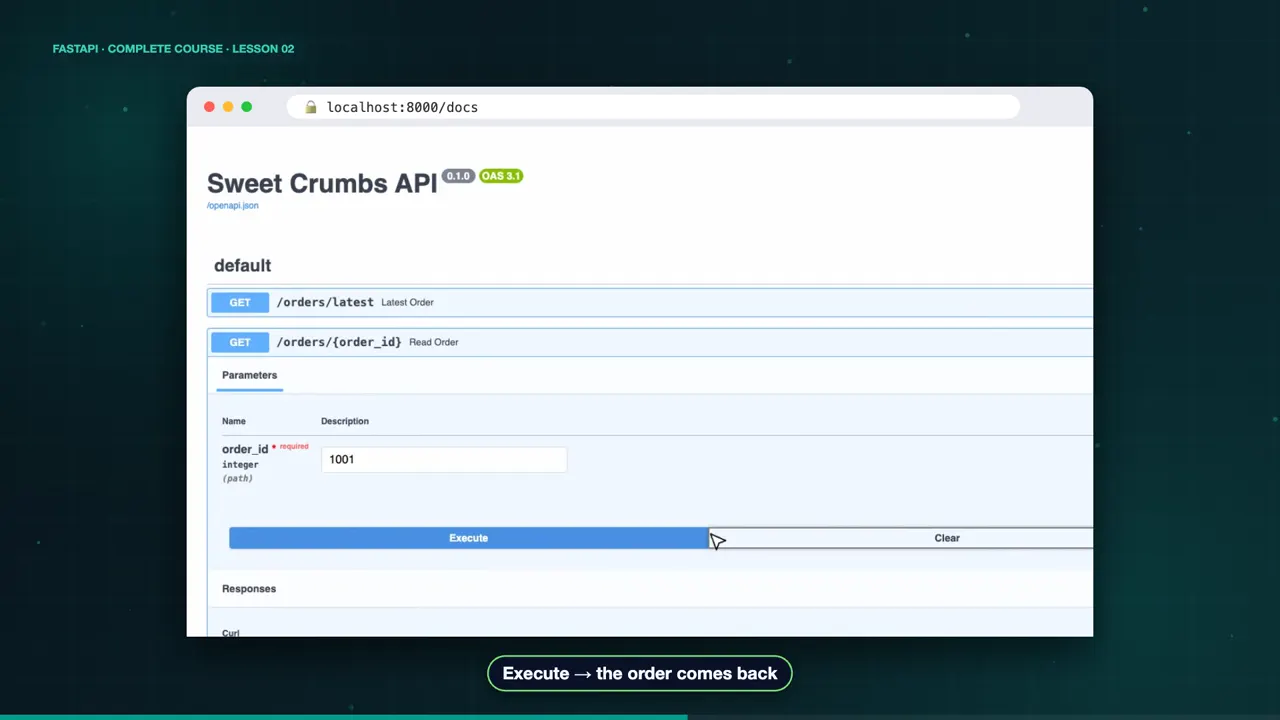
The docs show the same thing. Open slash docs, expand the endpoint, click Try it out, and type one thousand and one. Execute, and there is the order. Now type a b c, and execute again. The validation error appears, right in the browser.
Order matters
Order matters. Maya wants a shortcut, slash orders slash latest. Declare that fixed path first. Otherwise, FastAPI treats the word latest as an order ID, and fails the validation.
@app.get("/orders/latest")
def latest_order(): ...

@app.get("/orders/{order_id}")
def read_order(order_id: int): ...curl localhost:8000/orders/latest {"order_id":1002,"item":"Sourdough Loaf","status":"ready"}
Limit values with an Enum
You can also limit a path parameter to fixed values, with a Python enum. Maya's menu has three categories. Cakes, breads, and drinks. A valid category works. An invalid one, like pizza, returns a four twenty two, listing the allowed values.
class Category(str, Enum):
    cakes = "cakes"
    breads = "breads"
    drinks = "drinks"

@app.get("/menu/{category}")
def read_menu(category: Category):
return {"category": category}curl localhost:8000/menu/cakes {"category":"cakes","items":["Chocolate Cake","Carrot Cake"]} curl localhost:8000/menu/pizza {"detail":[{"type":"enum","loc":["path","category"],"msg":"Input should be 'cakes', 'breads' or 'drinks'","input":"pizza","ctx":{"expected":"'cakes', 'breads' or 'drinks'"}}]}
Paths with slashes
One last trick. Path parameters normally cannot contain slashes. Maya stores receipts in folders, by year and month. Add colon path after the name, and the parameter captures the whole path.
@app.get("/receipts/{file_path:path}")
def read_receipt(file_path: str):
return {"file_path": file_path}curl localhost:8000/receipts/2026/october/order-1001.txt {"file_path":"2026/october/order-1001.txt"}
The complete code for this lesson
Here is the full main.py exactly as it runs at the end of this lesson. Save it, install FastAPI with pip install "fastapi[standard]", and start it with fastapi dev main.py, then open http://127.0.0.1:8000/docs.
from enum import Enum

from fastapi import FastAPI

app = FastAPI(title="Sweet Crumbs API")

ORDERS = {
    1001: {"item": "Chocolate Cake", "status": "baking"},
    1002: {"item": "Sourdough Loaf", "status": "ready"},
}

MENU = {
    "cakes": ["Chocolate Cake", "Carrot Cake"],
    "breads": ["Sourdough Loaf", "Baguette"],
    "drinks": ["Flat White", "Hot Chocolate"],
}


@app.get("/orders/latest")
def latest_order():
    return {"order_id": 1002, **ORDERS[1002]}


@app.get("/orders/{order_id}")
def read_order(order_id: int):
    return {"order_id": order_id, **ORDERS.get(order_id, {"item": None, "status": "unknown"})}


class Category(str, Enum):
    cakes = "cakes"
    breads = "breads"
    drinks = "drinks"


@app.get("/menu/{category}")
def read_menu(category: Category):
    return {"category": category, "items": MENU[category.value]}


@app.get("/receipts/{file_path:path}")
def read_receipt(file_path: str):
    return {"file_path": file_path}
Summary
That is path parameters. Declare them with curly braces, add a type hint, and FastAPI gives you conversion, validation, and documentation. Now customers can find their orders. But what about searching the menu? In the next lesson, query parameters. See you there.
Key takeaways