
Authentication with JWT
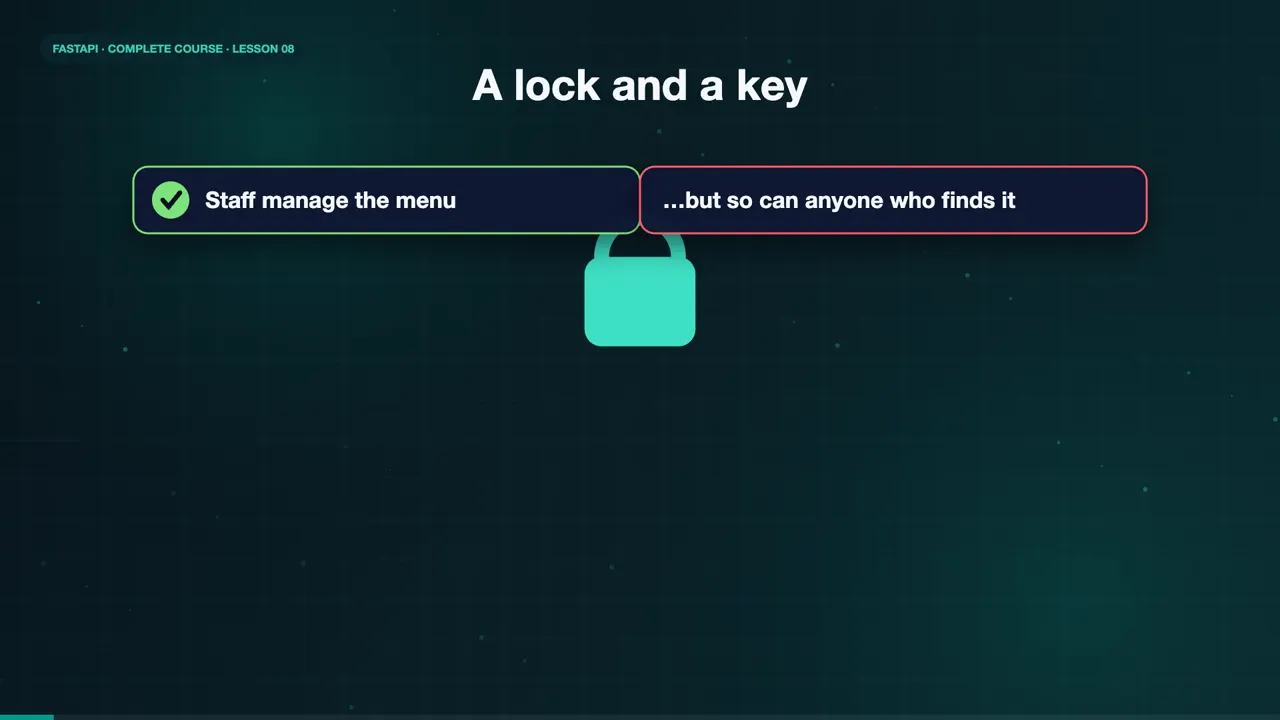
Maya's staff can manage the menu. But so can anyone who finds the endpoint. She needs a lock, and a key. Proving who you are is called authentication. So let's add a login.
Like a coat check
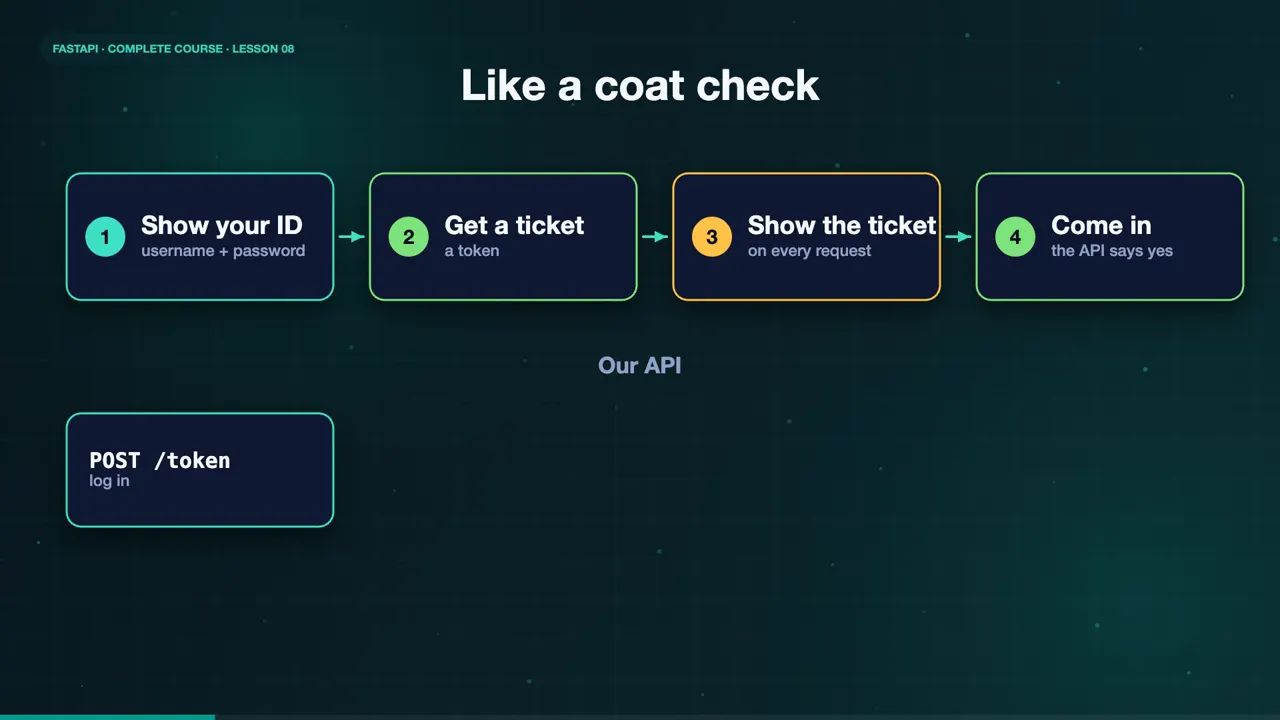
Think about a coat check. You show your ID once, and you get a ticket. After that, you only show the ticket. Our API works the same way. A staff member logs in with a username and password, and gets back a token. Then every request carries that token.
Never store plain-text passwords
First rule. Never store passwords as plain text. We store a hash, a one way scrambled version of the password. With the pwdlib library, we hash a password when it is created, and verify it at login. Even if the data leaks, the original passwords stay hidden.
password_hash.hash("sweetcrumbs")
'$argon2id$v=19$m=65536,t=3,p=4$CfJtNTCrXFE93n2xoNTn/w$KD12sD4AvyiqZRFRFVMA2cl5K3/Byhzps0chFRaF3zo'
password_hash.verify("sweetcrumbs", hashed)
True
password_hash.verify("oops", hashed)
False
The login endpoint
The login endpoint is slash token. FastAPI gives us OAuth two password request form, which reads the username and password from a form. We look up the user, and verify the hash. If it fails, we return a four hundred and one. If it works, we create a token.
@app.post("/token")
def login(form: Annotated[OAuth2PasswordRequestForm, Depends()]):
    user = USERS.get(form.username)
    if not user or not password_hash.verify(form.password, user["hashed_password"]):
        raise HTTPException(status_code=401, detail="Incorrect username or password")
return {"access_token": create_access_token(user["username"]), "token_type": "bearer"}Inside a JWT
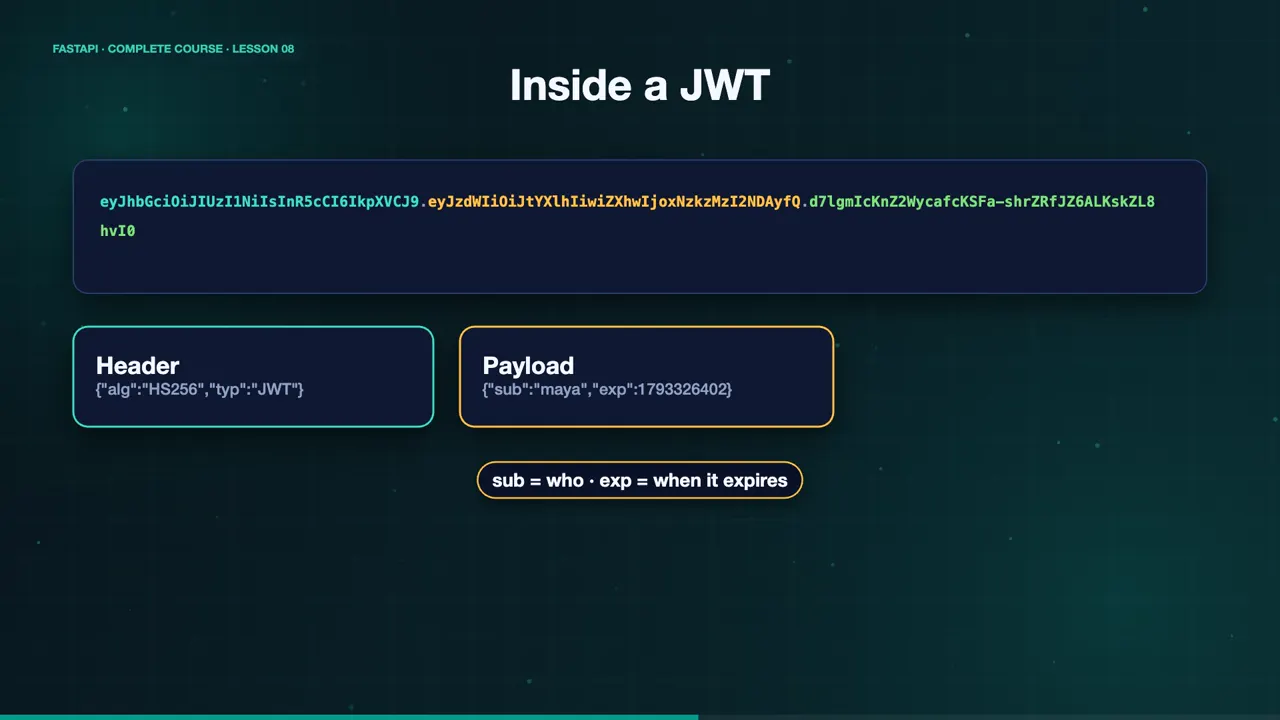
The token is a JWT, a JSON web token. It has three parts. A header, a payload, and a signature. The payload holds the username, and an expiry time. The signature, made with our secret key, proves nobody changed it. Anyone can read a JWT, so never put secrets inside.
Protect an endpoint
To protect an endpoint, we use a dependency. OAuth two password bearer pulls the token from the Authorization header. Our get current user dependency decodes it, checks the signature and the expiry, and finds the user. Any endpoint that asks for the current user is now locked.
oauth2_scheme = OAuth2PasswordBearer(tokenUrl="token")

def get_current_user(token: Annotated[str, Depends(oauth2_scheme)]):
    payload = jwt.decode(token, SECRET_KEY, algorithms=[ALGORITHM])
    return USERS.get(payload.get("sub"))

@app.get("/staff/me")
def read_me(user: CurrentUser): ...Try it
Let's try it. Without a token, slash staff slash me answers four hundred and one, not authenticated. A wrong password gets a four hundred and one, too. The right password returns a token. And with that token in the Authorization header, we are in.
curl -s localhost:8000/staff/me
{"detail":"Not authenticated"}
curl -s -X POST localhost:8000/token -d 'username=maya&password=oops'
{"detail":"Incorrect username or password"}
curl -s -X POST localhost:8000/token -d 'username=maya&password=sweetcrumbs'
{"access_token":"eyJhbGciOiJIUzI1NiIsInR5cCI6IkpXVCJ9.eyJzdWIiOiJtYXlhIiwiZXhwIjoxNzkzMzI2NDAyfQ.d7lgmIcKnZ2WycafcKSFa-shrZRfJZ6ALKskZL8hvI0","token_type":"bearer"}
curl -s localhost:8000/staff/me -H "Authorization: Bearer $TOKEN"
{"username":"maya","full_name":"Maya Baker"}
The docs have an Authorize button. Enter the username and password once, and every request from the docs now carries the token.
The complete code for this lesson
Here is the full main.py exactly as it runs at the end of this lesson. Save it, install FastAPI with pip install "fastapi[standard]", and start it with fastapi dev main.py, then open http://127.0.0.1:8000/docs.
import os
from datetime import datetime, timedelta, timezone
from typing import Annotated

import jwt
from fastapi import Depends, FastAPI, HTTPException, status
from fastapi.security import OAuth2PasswordBearer, OAuth2PasswordRequestForm
from pwdlib import PasswordHash

SECRET_KEY = os.environ.get("SECRET_KEY", "dev-only-secret-change-me")
ALGORITHM = "HS256"

password_hash = PasswordHash.recommended()
oauth2_scheme = OAuth2PasswordBearer(tokenUrl="token")

app = FastAPI(title="Sweet Crumbs API")

USERS = {
    "maya": {
        "username": "maya",
        "full_name": "Maya Baker",
        "hashed_password": password_hash.hash("sweetcrumbs"),
    }
}


def create_access_token(username: str):
    expire = datetime.now(timezone.utc) + timedelta(minutes=30)
    return jwt.encode({"sub": username, "exp": expire}, SECRET_KEY, algorithm=ALGORITHM)


@app.post("/token")
def login(form: Annotated[OAuth2PasswordRequestForm, Depends()]):
    user = USERS.get(form.username)
    if not user or not password_hash.verify(form.password, user["hashed_password"]):
        raise HTTPException(
            status_code=status.HTTP_401_UNAUTHORIZED,
            detail="Incorrect username or password",
            headers={"WWW-Authenticate": "Bearer"},
        )
    return {"access_token": create_access_token(user["username"]), "token_type": "bearer"}


def get_current_user(token: Annotated[str, Depends(oauth2_scheme)]):
    try:
        payload = jwt.decode(token, SECRET_KEY, algorithms=[ALGORITHM])
    except jwt.InvalidTokenError:
        raise HTTPException(
            status_code=status.HTTP_401_UNAUTHORIZED,
            detail="Invalid or expired token",
            headers={"WWW-Authenticate": "Bearer"},
        )
    user = USERS.get(payload.get("sub"))
    if user is None:
        raise HTTPException(status_code=status.HTTP_401_UNAUTHORIZED, detail="Unknown user")
    return user


CurrentUser = Annotated[dict, Depends(get_current_user)]


@app.get("/staff/me")
def read_me(user: CurrentUser):
    return {"username": user["username"], "full_name": user["full_name"]}
Summary
Staff endpoints are now protected. In a real project, keep the secret key out of your code, and always use HTTPS. But Maya's data still lives in memory, and disappears when the server restarts. In the next lesson, a real database. See you there.
Key takeaways- Hash passwords, never store them
- Login returns a signed token (JWT)
- A dependency protects each endpoint