
Your First Graph
One node.
Let's build the smallest useful graph. It takes a customer's name, and writes a welcome message. Just one step. But it shows every part of a LangGraph app.
- The smallest graph
- One step
- Every part
Hello, graph
State describes the data the graph carries, a name and a greeting. Greet is a node, a plain function. It reads the state, and returns an update. The builder adds the node, and two edges, from start to greet, and from greet to the end. Compile turns it into a runnable graph. Run it. The graph returns the final state, with the greeting filled in.
from typing import TypedDict
from langgraph.graph import StateGraph, START, END

class State(TypedDict):
    name: str
    greeting: str

def greet(state: State):
    return {"greeting": f"Welcome to Riverside Books, {state['name']}!"}

builder = StateGraph(State)
builder.add_node("greet", greet)
builder.add_edge(START, "greet")
builder.add_edge("greet", END)
graph = builder.compile()

print(graph.invoke({"name": "Sam"})){'name': 'Sam', 'greeting': 'Welcome to Riverside Books, Sam!'}The four parts
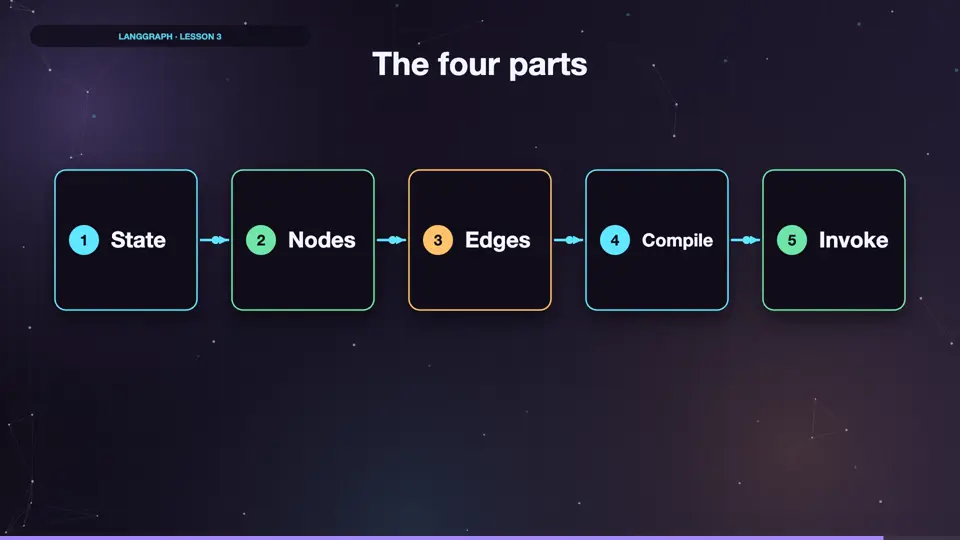
Every LangGraph app has the same four parts. A state, that describes the data. Nodes, that do the work. Edges, that connect them. And a compile step, that turns the builder into a graph you can run.
- State
- Nodes
- Edges
- Compile
- Invoke
Summary
A graph has state, nodes, edges, and a compile step. Invoke runs it, and returns the final state. Next, a closer look at state.
Key takeaways- StateGraph(State)
- add_node, add_edge
- compile, invoke