
LangGraph · Lesson 33 of 120
tools_condition
Tool or finish.
After the model replies, there are two possibilities. It asked for tools, so run them. Or it gave a final answer, so finish. Tools condition is a ready made routing function that checks this.
- Two possibilities
- Tools, or finish
- tools_condition decides
Testing the router
Tools condition looks at the last message. We try it on two states. One where the AI asked for a tool, and one where it simply answered. Run it. The first routes to tools, and the second routes to the end.
tools_condition.pypython
from langchain.messages import AIMessage
from langgraph.prebuilt import tools_condition

wants_tool = AIMessage("", tool_calls=[{"name": "check_stock", "args": {"title": "Dune"}, "id": "1"}])
final_answer = AIMessage("Yes, Dune is in stock.")

print(tools_condition({"messages": [wants_tool]}))
print(tools_condition({"messages": [final_answer]}))
Output
tools
__end__
The agent loop
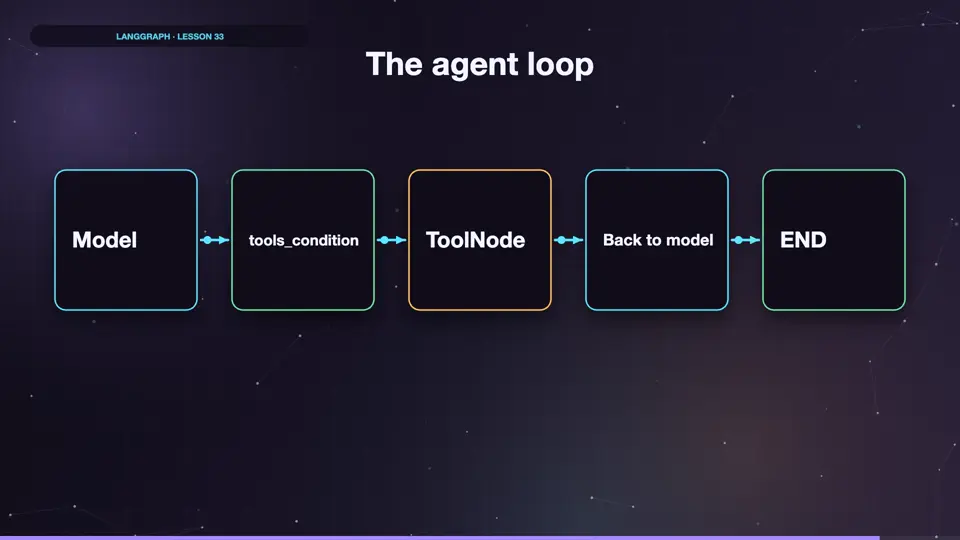
Now we have every piece of an agent. The model node replies. Tools condition checks for tool calls. If there are some, the tool node runs them, and the results go back to the model. If not, the run ends.
- Model
- tools_condition
- ToolNode
- Back to model
- END
Summary
Tools condition routes to the tools when the model asks for them, and to the end otherwise. Next, wiring the full agent loop by hand.
Key takeaways- Checks the last message
- 'tools' or END
- Ready-made router
Next up: A ReAct Agent — the loop by hand