
Project: Support Desk Plan
What we'll build.
For the course project, we'll build a support desk for Riverside Books, as one LangGraph graph. It sorts each message, sends it to the right specialist, pauses for a manager on big refunds, and remembers the conversation.
- One graph
- Sort, route, answer
- Approvals and memory
The desk, end to end
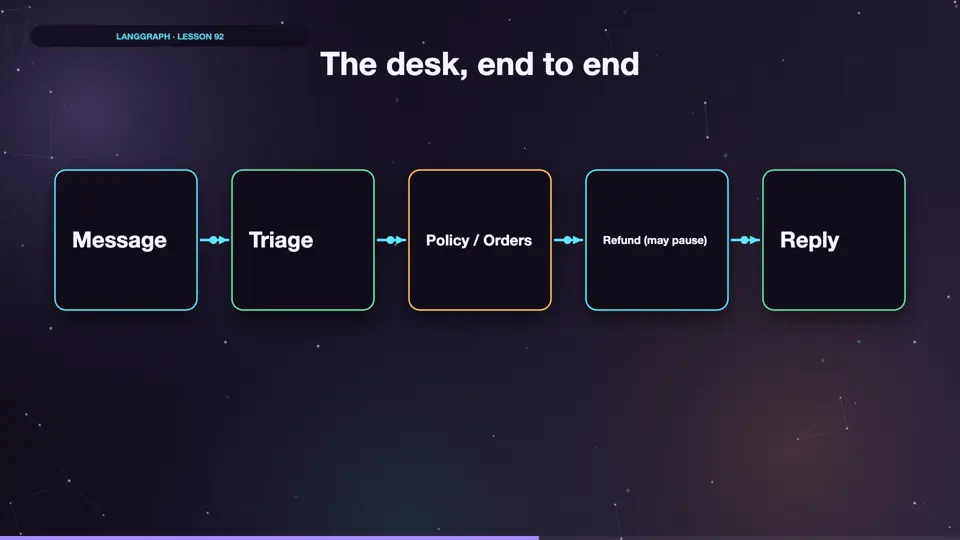
Here's the plan. A triage node classifies each message. Policy questions go to a policy agent, which searches the shop's documents. Stock and order questions go to an orders agent. Refund requests go to a refund node, which may pause for a manager. Anything else gets a polite holding reply.
- Message
- Triage
- Policy / Orders
- Refund (may pause)
- Reply
One file per piece
We'll build it in small files, one lesson each. The state. The triage node. The two specialist agents. The refund node. And desk dot p y, which wires it all together, with a checkpointer.
| File | Job |
|---|---|
| state.py | what the desk remembers |
| triage.py | classify each message |
| policy_agent.py | answers from documents |
| orders_agent.py | stock, prices, orders |
| refund.py | approve big refunds |
| desk.py | the graph |
Summary
The support desk is one graph. Triage, two specialists, a refund approval, and memory. Next, designing its state.
Key takeaways- Triage first
- Specialists answer
- Approval for big refunds