
MCP · Lesson 75 of 120
The MCP Inspector
Test by hand.
Before plugging a server into a host, test it by hand. The MCP Inspector is a small web tool. It connects to your server, lists everything, and lets you call tools yourself.
- Test by hand
- A web tool
- Call tools yourself
terminal
NPX runs the Inspector, and after it comes the command that starts our server. For an HTTP server, start the Inspector alone, and type the URL in its page. It opens in your browser.
terminalpython
# test a stdio server
npx @modelcontextprotocol/inspector uv run northwind.py

# or start it alone, then enter http://localhost:8000/mcp
npx @modelcontextprotocol/inspector
Inspector checklist
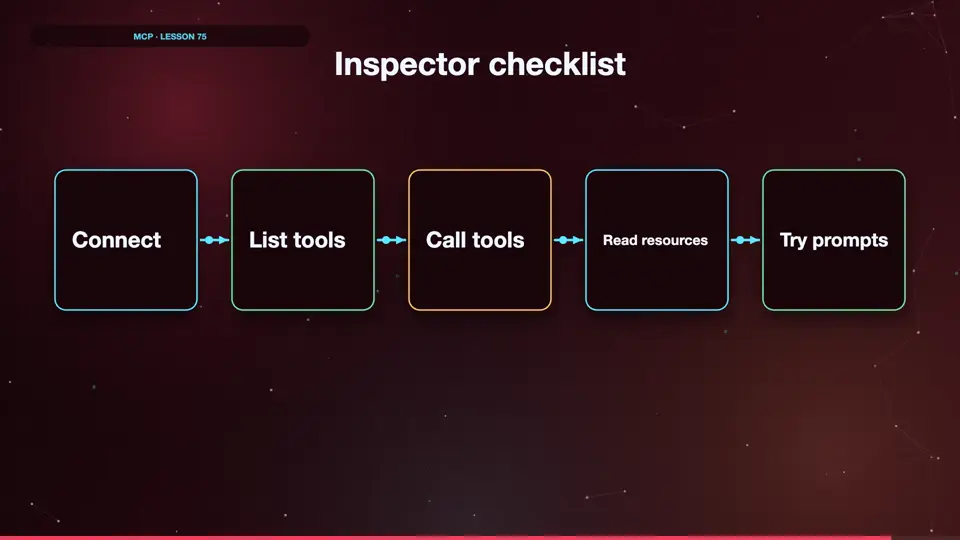
Connect, and check the server's name. List the tools, and read each schema. Call each tool with good and bad arguments. Read the resources. And try the prompts.
- Connect
- List tools
- Call tools
- Read resources
- Try prompts
Summary
Use the Inspector to check every tool, resource, and prompt by hand before shipping. Next, packaging a server.
Key takeaways- npx inspector
- Call by hand
- Check errors
Next up: Packaging a Server — uv and pyproject