
MCP · Lesson 87 of 120
Debugging
Common failures.
When a server won't work in a host, the cause is usually one of a few common mistakes. Let's go through them, and how to spot each one.
- It won't work
- A few causes
- How to spot them
Symptoms and fixes
If the server never connects, check the command and use full paths. If the connection breaks, look for prints on standard output. If tools are missing, restart the host. If a tool fails, read standard error, and test it in the Inspector.
| Symptom | Likely cause | Fix |
|---|---|---|
| Never connects | wrong command or path | full paths |
| Connection breaks | print() to stdout | log to stderr |
| Tools missing | host not restarted | restart the host |
| Tool fails | an exception | stderr + Inspector |
A debugging routine
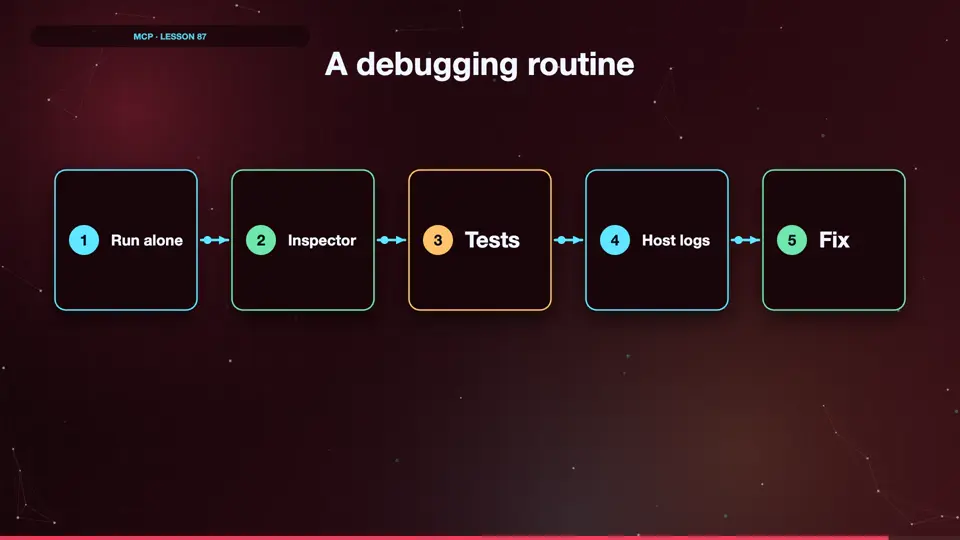
First, run the server alone, and look for errors. Then test it in the Inspector. Then run your tests. Then check the host's logs. And only then, change the code.
- Run alone
- Inspector
- Tests
- Host logs
- Fix
Summary
Most failures are wrong paths, stray prints, or a host that needs a restart. Next, performance.
Key takeaways- Full paths
- No stdout prints
- Restart host
Next up: Performance — fast tools