
TypeScript · Lesson 95 of 120
Migrating JavaScript
Step by step.
Most teams don't start with TypeScript. They move an existing JavaScript project over, one file at a time. TypeScript is designed for exactly that.
- Existing JavaScript
- One file at a time
- Designed for it
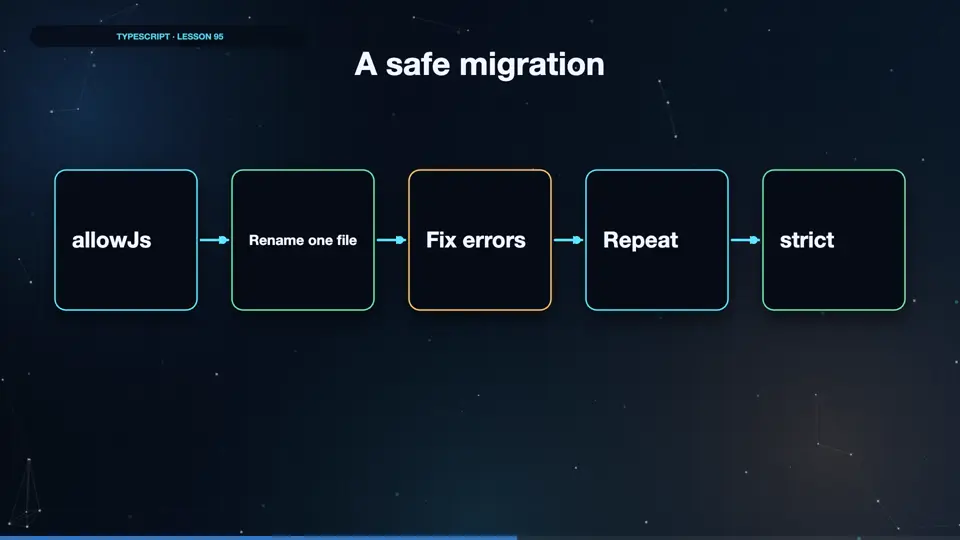
A safe migration
First, add a tsconfig that allows JavaScript. Then rename one file to dot TS. Fix its errors. Repeat, file by file. Finally, turn on strict, and fix what remains.
- allowJs
- Rename one file
- Fix errors
- Repeat
- strict
Before and after
The JavaScript version accepts anything, and can return the wrong thing. The TypeScript version names its inputs and output, so every caller is checked.
JavaScript
- function total(items)No typesBugs found late
TypeScript
- function total(items: Item[]): numberTypedBugs found early
Summary
Migrate one file at a time, then switch on strict. Next, common mistakes.
Key takeaways- allowJs
- One file
- Then strict
Next up: Common Mistakes — and fixes