
The Terminal and the Shell
Where commands are typed.
To type commands, you open a program called the terminal. It's a window with text in it, and a blinking cursor, waiting for you to type.
- Open the terminal
- A window of text
- A cursor, waiting for you
Terminal and shell
Two words get mixed up a lot. The terminal is the window you type into. The shell is the program inside it, that reads your command, and runs it. On Ubuntu, the shell is called bash. You type into the terminal, and bash does the work.
The terminal
- The window
- Shows text
- You type here
The shell
- The program inside
- Runs your commands
- On Ubuntu: bash
What happens when you press Enter
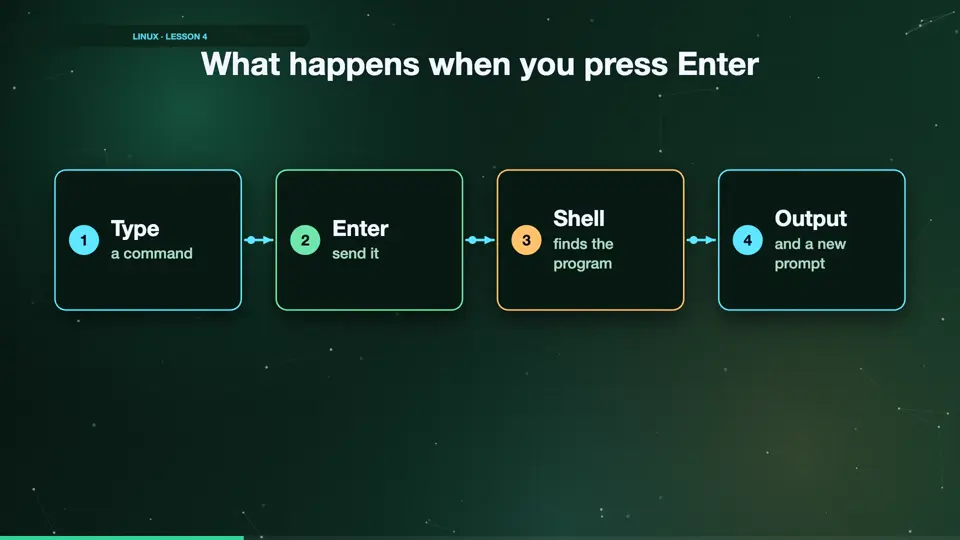
Here's what happens every time. You type a command, and press Enter. The shell reads it, and finds the program with that name. The program runs, and prints its answer. Then the shell shows the prompt again, ready for the next command.
- Typea command
- Entersend it
- Shellfinds the program
- Outputand a new prompt
Summary
The terminal is the window, and the shell, bash, runs your commands. Next, how to get a Linux terminal on your own computer.
Key takeaways- Terminal: the window
- Shell: runs commands
- Ubuntu's shell: bash