
Course Complete
Where to go next.
Congratulations! You started with your very first command, and now you can manage files, process text, control permissions, install software, work on remote servers, and automate it all with scripts.
- From your first command
- To scripts and servers
- Congratulations!
What you can do now
Look at how much you've learned. Moving around and organising files. Searching and transforming text with pipes. Users, groups, and permissions. Processes, services, and packages. Networking and SSH. And writing your own scripts, run automatically by cron.
Where to go next
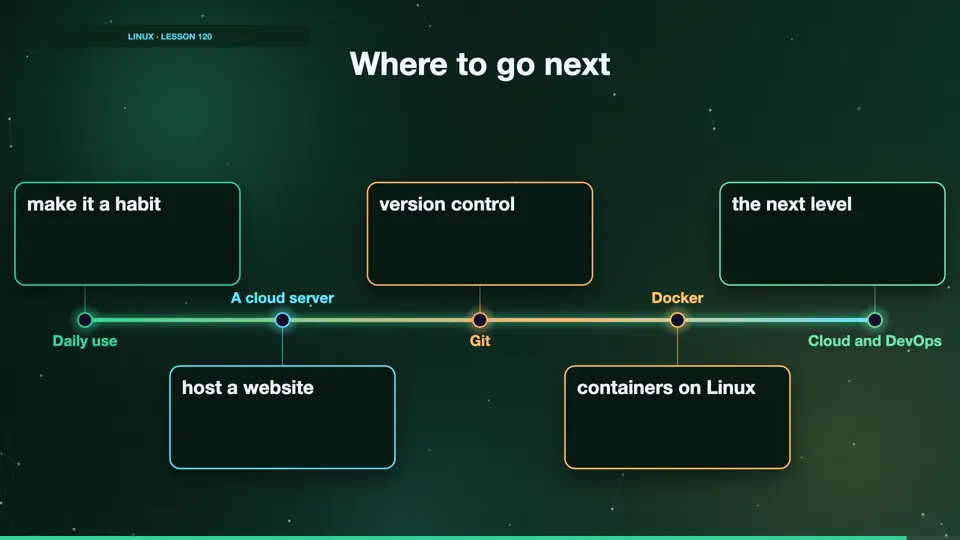
Here are some great next steps. Use Linux every day, even for small things, so the commands become habit. Run a small server in the cloud, and host a website. Learn Git, to manage your code. Then try Docker, which runs on Linux. And later, explore cloud platforms, and DevOps.
- Daily usemake it a habit
- A cloud serverhost a website
- Gitversion control
- Dockercontainers on Linux
- Cloud and DevOpsthe next level
Summary
Thank you for learning with me. Keep practising, a little every day, and Linux will soon feel like home. If this course helped you, share it with a friend who's learning too. Good luck!
Key takeaways- Practise every day
- Build something real
- Keep learning