
Pipes
Joining commands together.
Here's the big idea of the Linux command line. Each command does one small job, and does it well. Then you join commands together, like Lego bricks, to do big jobs. The thing that joins them is the pipe.
- Each command: one small job
- Join them like Lego
- The pipe joins them
How a pipe works
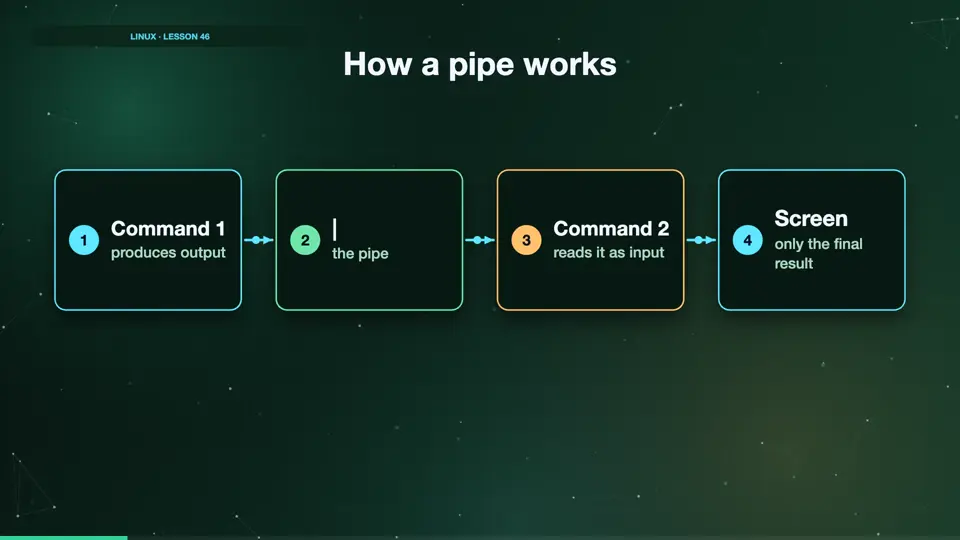
The pipe is the vertical bar. It takes the output of the command on its left, and feeds it in as the input of the command on its right. Nothing goes to the screen in between. Only the last command in the chain prints its result for you.
- Command 1produces output
- |the pipe
- Command 2reads it as input
- Screenonly the final result
Your first pipelines
Let's build some. Grep ERROR finds the error lines, and WC dash L counts them. Seven. Then, LS/ETC lists a lot of files, so we pipe it into head, to see only the first five. Two small commands, one useful answer.
grep ERROR logs/server.log | wc -l
7
ls /etc | head -n 5
adduser.conf
alternatives
apparmor.d
apt
bash.bashrc
Longer chains
You can keep adding commands. Here, grep finds sam's lines, a second grep keeps only the ones about the shop, and WC counts them. Read it from left to right, like a sentence. Sam opened the shop page three times.
grep sam logs/server.log | grep /shop | wc -l
3
Summary
The pipe sends one command's output into the next command. Small commands, joined together, do big jobs. Next, two commands that shine in pipelines. Sort, and uniq.
Key takeaways- cmd1 | cmd2
- Output becomes input
- Read left to right