
Project 1: The Monthly Report
A report Helen can use.
Time for a real project. Every month, Helen wants a short report. How many orders came in, how many were cancelled, how much money came in, and how that compares with the month before. Plus the three best sellers. Right now, she does it by hand in a spreadsheet. Let's build it in SQL, one step at a time.

- A monthly report
- Orders, cancellations, revenue
- Plus the best sellers
The plan
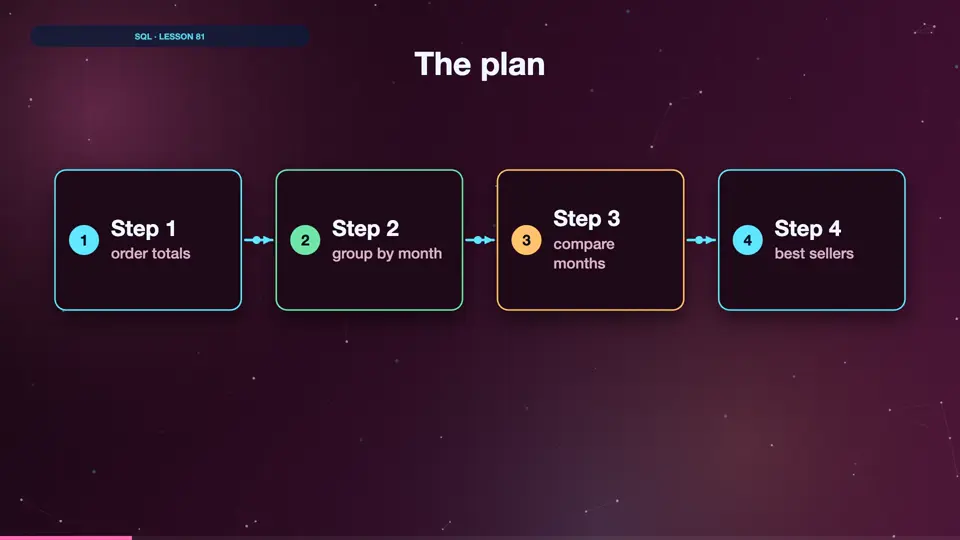
Here's the plan. Step one, work out each order's total. Step two, group those totals by month. Step three, compare each month with the one before. And step four, find the best sellers. Each step builds on the last.
- Step 1order totals
- Step 2group by month
- Step 3compare months
- Step 4best sellers
Step 1: order totals
Step one is a CTE you've seen before. Join orders, order items, and books, and sum quantity times price for each order. Then we look at the newest few orders, to check it works. Run it. Each order now has a total. Always check each step before building the next one.
WITH order_totals AS (
    SELECT o.order_id, o.order_date, o.status,
           SUM(oi.quantity * b.price) AS total
    FROM orders AS o
    JOIN order_items AS oi ON oi.order_id = o.order_id
    JOIN books       AS b  ON b.book_id   = oi.book_id
    GROUP BY o.order_id
)
SELECT order_id, order_date, status, ROUND(total, 2) AS total
FROM order_totals
ORDER BY order_date DESC
LIMIT 4;┌──────────┬────────────┬───────────┬───────┐ │ order_id │ order_date │ status │ total │ ├──────────┼────────────┼───────────┼───────┤ │ 1455 │ 2025-12-31 │ delivered │ 35.98 │ │ 1713 │ 2025-12-31 │ cancelled │ 11.49 │ │ 1963 │ 2025-12-31 │ cancelled │ 14.99 │ │ 2414 │ 2025-12-31 │ delivered │ 29.99 │ └──────────┴────────────┴───────────┴───────┘
Why build it step by step?
Why not write the whole report in one go? Because long queries are hard to check. If the final numbers look wrong, you won't know where the mistake is. Building in small steps, and checking each one, is slower for five minutes, and much faster for the rest of the day.
Summary
Step one gives every order a total. Next, turn those totals into monthly numbers.
Key takeaways- CTE: order_totals
- quantity * price
- Check each step