CI/CD with GitHub Actions Tutorial 138 lessons · 2:41:13+ of video
CI/CD with GitHub Actions Home What Is CI/CD?
What Is CI/CD? Life Without CI Integration, Delivery, Deployment Pipelines and Our Project
What Is a Pipeline? Our Project Running Tests by Hand Git and GitHub
Git in Two Minutes Branches and Pull Requests Where GitHub Actions Fits Key Words and YAML
The Key Words YAML Basics YAML Lists and Maps YAML Gotchas
YAML Gotchas Multi-line Strings Foundations Quiz Your First Workflow
Your First Workflow The Workflows Folder Reading a Workflow Events, Jobs and Steps
Events with on Jobs and runs-on Steps with run Actions
Actions with uses checkout setup-python Tests in CI
Running Tests in CI Reading the Logs A Failing Build Fixing and Triggers
Fixing the Build Checking Workflows Push and Pull Request Triggers Filters, Manual and Scheduled Runs
Branch and Path Filters Manual Runs Scheduled Runs First Workflows Practice
Practice: A Lint Workflow Practice: Two Triggers First Workflows Quiz Variables and Contexts
Environment Variables Contexts and Expressions Default Variables Secrets, Tokens and Outputs
Secrets GITHUB_TOKEN and Permissions Step Outputs Jobs and needs
Multiple Jobs needs Job Outputs Conditions and Matrices
Conditions with if Status Functions Matrix Builds Matrix Options and Caching
Matrix include and exclude fail-fast Caching Dependencies Artifacts, Services and Timeouts
Artifacts Service Containers Timeouts and continue-on-error Concurrency and Practice
Concurrency Working Directory and Shell Practice: A Matrix Pipeline Building Blocks Practice
Practice: Build Then Test Practice: Debugging a Pipeline Building Blocks Quiz Quality Gates
Linting Formatting Checks Test Coverage Fast Feedback and Node.js
Fast Feedback A Node.js Pipeline npm ci and Lockfiles Security Checks
Dependency Scanning Dependabot Secret Scanning Protecting main
Branch Protection Required Checks Status Badges Reviews, Flaky Tests, and Gates
Code Review with CI Flaky Tests Practice: A Quality Gate Fixing Builds and the Test Pyramid
Practice: Fix the Red Build The Test Pyramid Quality Quiz Continuous Delivery
Continuous Delivery Building a Docker Image Image Tags Versions and Releases
Versions and Git Tags Pushing to a Registry Releases on Tags Environments and Approvals
Environments Approvals Environment Secrets Deployment Strategies
Deployment Strategies Rolling Deploys Blue-Green and Canary Deploying
Deploying over SSH GitHub Pages Cloud Login with OIDC Smoke Tests, Rollbacks, and Flags
Smoke Tests Rollbacks Feature Flags Migrations and Delivery Practice
Database Migrations Practice: Deploy on Tag Practice: Staging then Production Delivery Quiz and Reusable Workflows
Delivery Quiz Reusable Workflows Inputs and Secrets for Reusable Workflows Writing Your Own Actions
Composite Actions Writing a Script Action Marketplace Actions Workflow Security
Pinning Actions Script Injection pull_request_target Dangers Privilege, Runners, and Monorepos
Least Privilege Self-Hosted Runners Monorepos Debugging, Speed, and Cost
Debugging Workflows Speeding Up Pipelines Cost and Minutes Templates and Shared Workflows
Workflow Templates Practice: A Shared Workflow Advanced Quiz Projects: CI and Delivery
Project: Python CI Project: Node CI Project: Docker Delivery Projects: Releases and the Full Pipeline
Project: Release Automation Project: Nightly Checks Project: The Full Pipeline Beyond Actions and Best Practices
Other CI Tools CI/CD Best Practices Common Mistakes Interview Questions
Interview Question 1 Interview Question 2 Interview Question 3 Cheat Sheets and Final Quiz
Cheat Sheet: Workflow Syntax Cheat Sheet: Patterns Final Quiz Metrics and Next Steps
DevOps Metrics What to Learn Next Practice Plan Your First Pipeline and Course Complete
Your First Real Pipeline Course Review Course Complete CI/CD with GitHub Actions · Lesson 108 of 138
pull_request_target Dangers Secrets plus strangers.
⏱ 2 min read ▶ Video at 2:06:03 🎓 Free
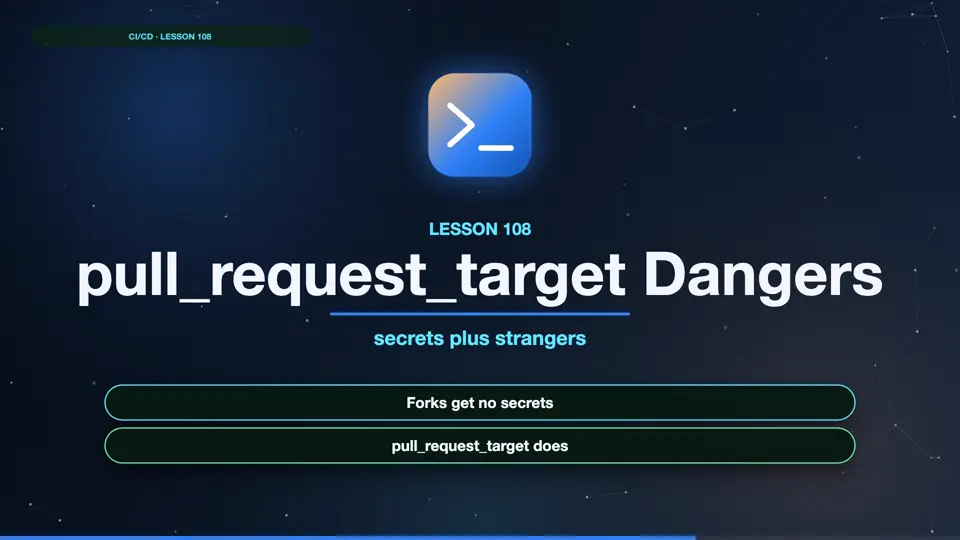
▶ starts at 2:06:03 For pull requests from forks, GitHub is careful. The normal pull request trigger runs without your secrets, and with a read only token. Pull request target is different. It runs with your secrets, so it's powerful, and risky.
From the video: pull_request_target Dangers Forks get no secrets pull_request_target does Powerful and risky This workflow uses pull request target, so it has secrets and a write token. Then it checks out the pull request's own code. And runs NPM install and test on it. A stranger's package dot JSON can run any script during install, with your secrets.
.github/workflows/pr.yml yaml Copy
on : pull_request_target # runs with secrets! jobs : test : runs-on : ubuntu-latest steps : - uses : actions/checkout@v4 with : ref : ${{ github.event.pull_request.head.sha }} - run : npm install && npm test # the stranger's code Use the normal pull request trigger for building and testing code from pull requests. It's safe by default. Use pull request target only for jobs that don't run the pull request's code, like adding labels, or posting a comment.
pull_request Build and test PR code No secrets for forks Read-only token pull_request_target Labels, comments Has secrets Never run PR code Prefer to watch? The full CI/CD with GitHub Actions course is free All lessons in one video with animations, real code and chapters.
Watch free Pull request target has secrets, so never check out and run untrusted code with it. Next, giving every job only the permissions it needs.
Key takeaways pull_request: safe _target: has secrets Never run fork code